Client Has New Phone Number and Cannot Access Portal via 2FA
A client changed their phone number and now they cannot access their portal because of the 2-Step Authentication.
Ask your practice's account owner to do the following:
- Open the client's portal.
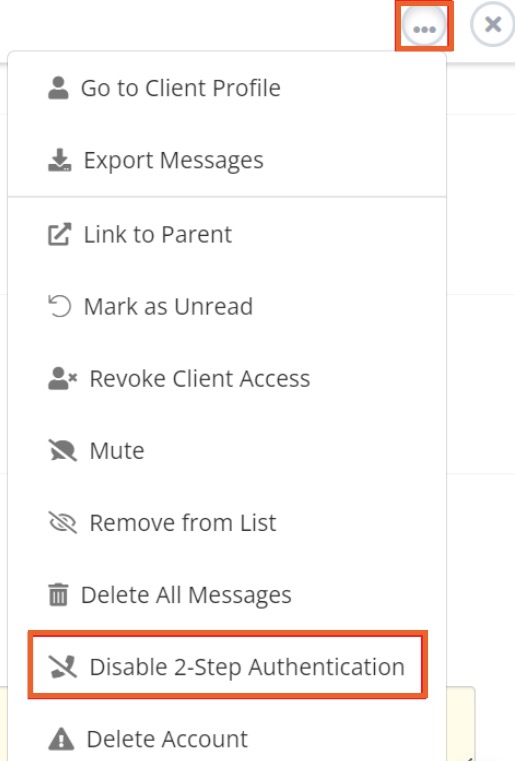
- Click the three dots icon on the top right corner and select Disable 2-Step Authentication.
Next, ask the client to do the following:
- Log in to the portal and click My Account → Enable 2-Step Authentication.
- The client should then be able to set up the 2-Step Authentication with their new number.
No results found
.png)
