.png)
Sign and Access Your BAA
Because IntakeQ has access to your clients’ Protected Health Information, it’s important to have a Business Associate Agreement, or BAA, on file.
- The BAA outlines how both you and IntakeQ are responsible for protecting patient data and complying with HIPAA regulations.
- A BAA is especially important if you plan to process payments through PracticeQ.
Sign your Business Associate Agreement
- Click More → Account.
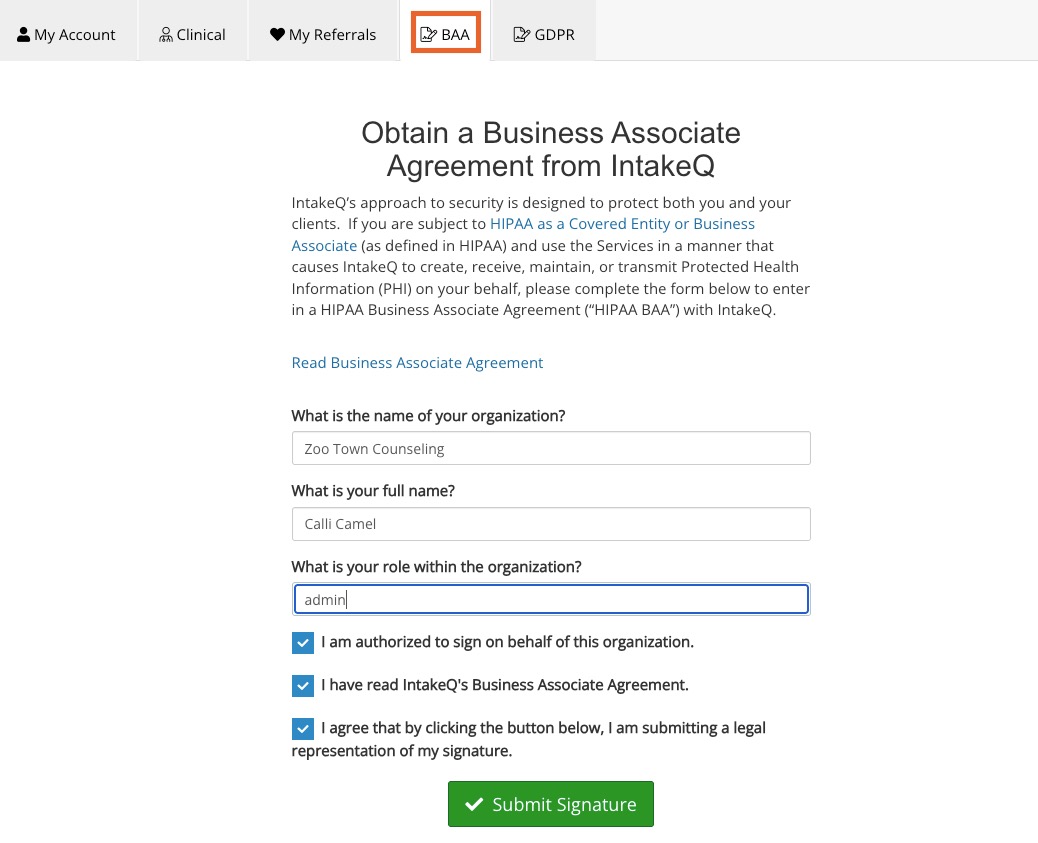
- Select the BAA tab.
- Enter your organization name, your full name, and your role in your practice.
- Check the required boxes and click Submit Signature.
- Once the BAA is signed, click Open at any time to review or download it.

Note: Only the account admin needs to sign the Business Associate Agreement.