.png)
Engage - Toll-Free Requirements
When you begin your Engage integration, your practice will be set up with a Toll-Free number while your 10DLC registration is in progress. Please gather the following information for Toll-Free registration.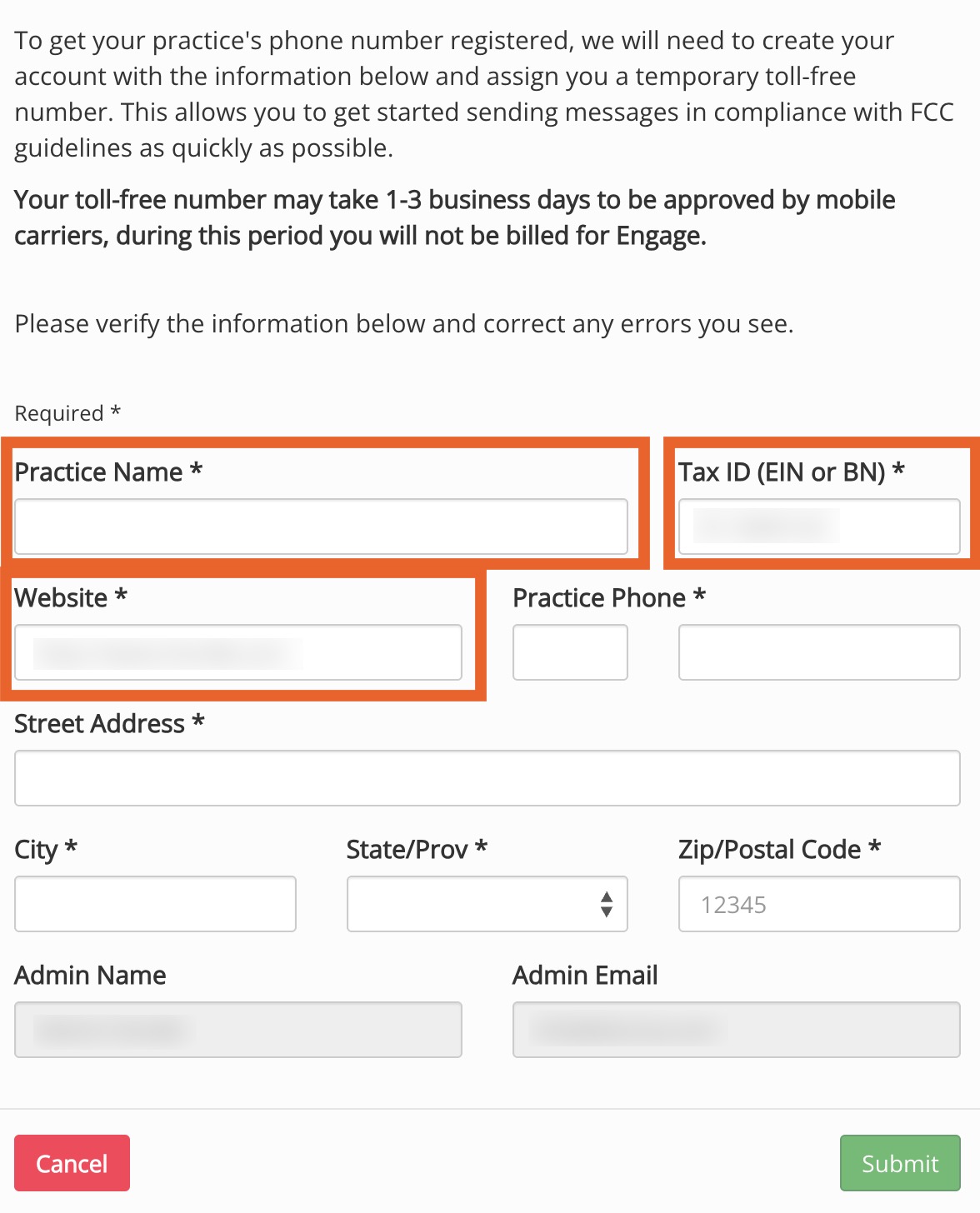
Business Name
- Please make sure to enter your legal business name in the Practice Name field of the Engage Account Setup window.
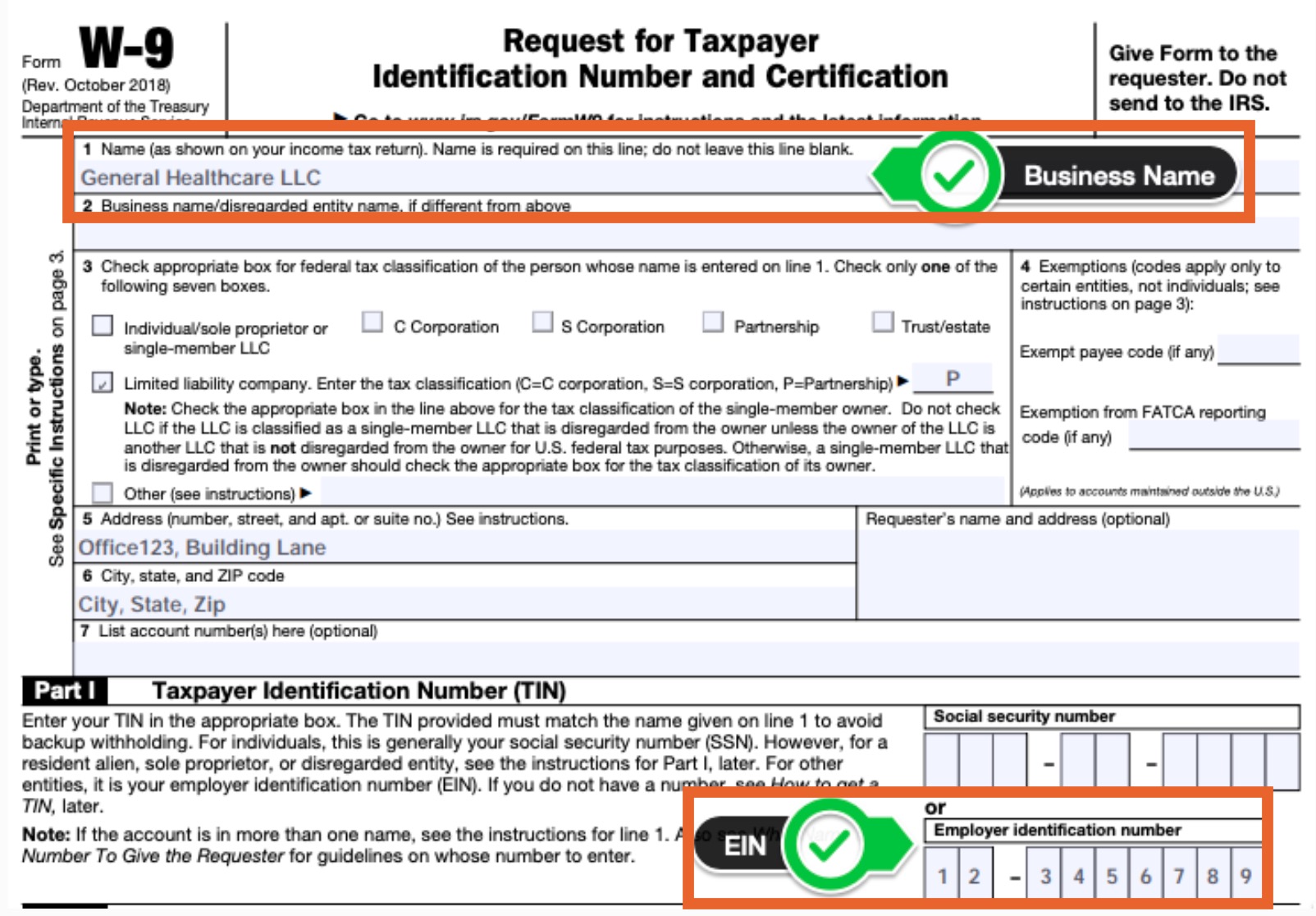
- To find your legal business name, locate your W-9 tax document and refer to box 1.
EIN (Tax ID)
- If you have entered your EIN in your PracticeQ account (in More → Account → Clinical or in Invoices → Invoice Settings → Superbill), we will auto-fill it in your Engage Account Setup window.
- To find your EIN, locate your W-9 tax document and refer to Part 1.
Website
- Please provide your business website URL.
- For Toll-Free approval, you can typically provide your business Facebook page.
- However, for full 10DLC approval, your practice will need to provide a business website that includes the following:
- A Privacy Policy
- Terms and Conditions
For information about what should be included in your Privacy Policy and Terms and Conditions, click here.