.png)
ePrescribe: Enable MFA for ID.me
Tired of logging into ID.me every time you prescribe a controlled substance? ID.me now offers an EPCS MFA+ option that allows you to simply enter a 4-digit passcode instead!
Create your passcode
- Create an ID.me login, if you have not done so already. ID.me registration is still required for EPCS.
- Log in to ID.me.
- Locate the EPCS MFA+ option.
- Enter and confirm your 4-digit passcode.
How it works
- Select the Prescriptions tab for the client.
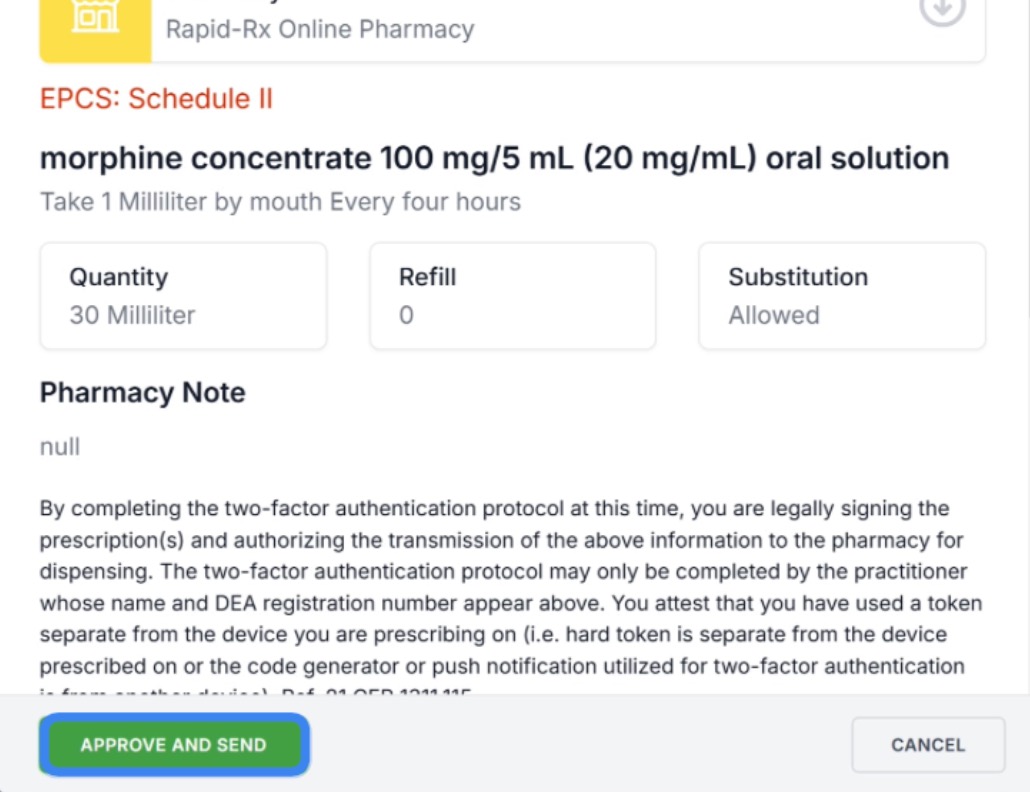
- Begin the controlled substance prescription and click Send to Pharmacy, or Approve a controlled substance from your queue.
- A window will display asking you to enter your 4-digit passcode.
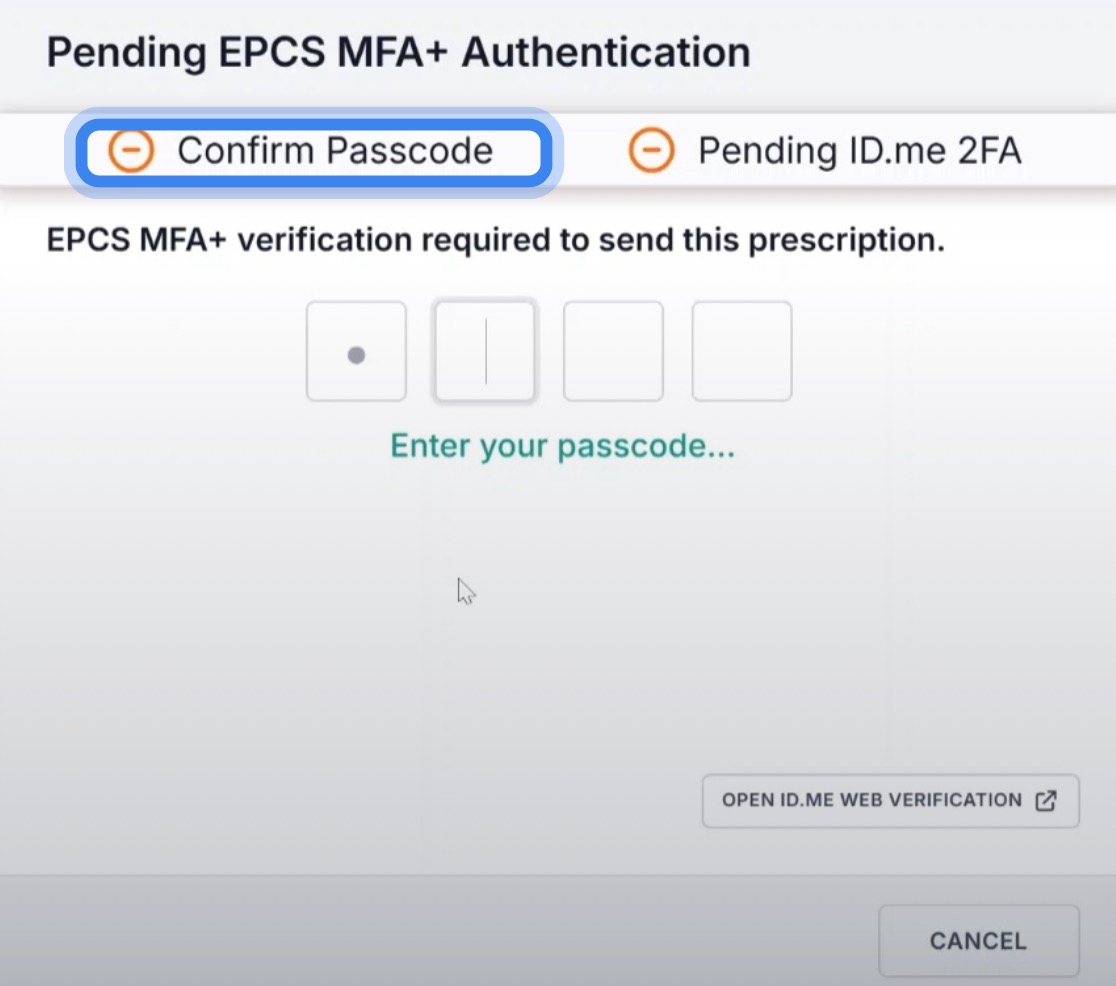
- Enter the passcode you created in the previous steps.
- Next, select your second MFA method. The options are:
- Push notification to your phone
- Code generator
- If your preferred option does not display, click the OTHER APPROVED ID.ME METHODS button on the bottom left.
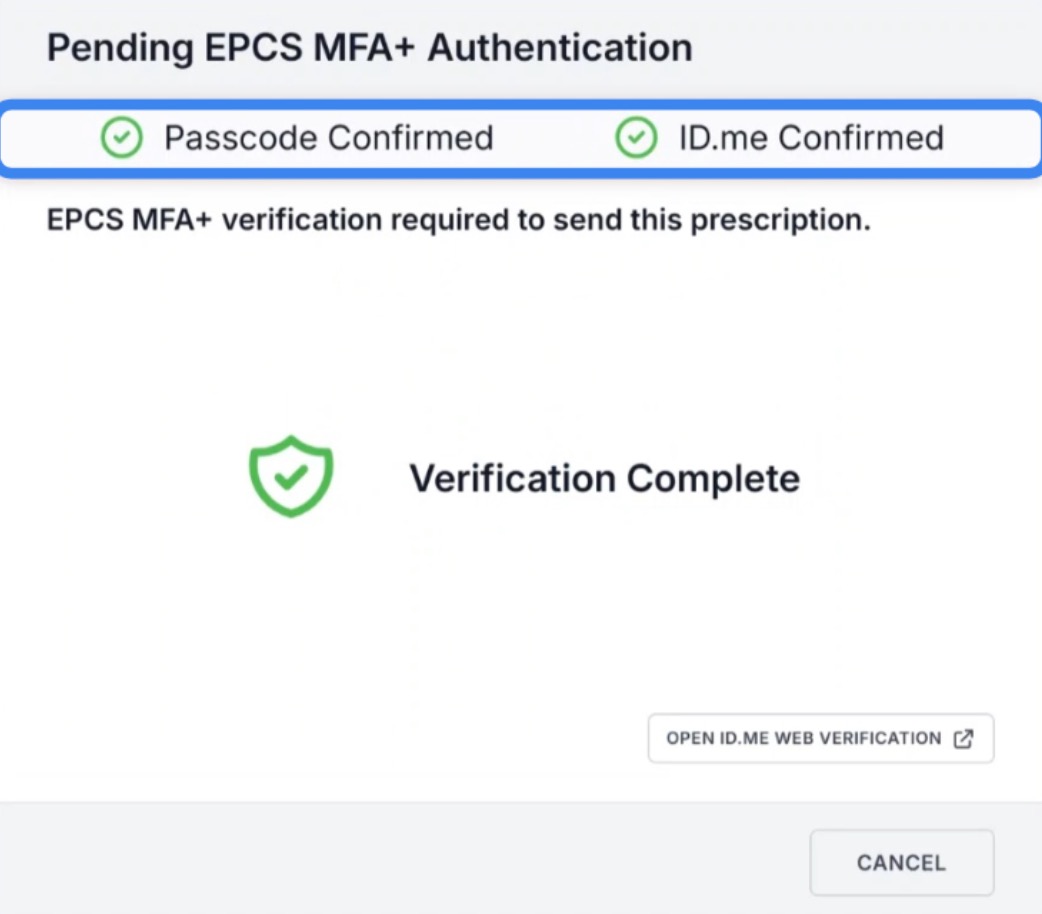
- Complete the second authentication.
- The window will display a Verification Complete message and close.
- You will be returned to the subscription screen; click Approve and Send.