.png)
Add a Client to an Existing Appointment Package
It's easy to add a client to an existing appointment package.
- Click Lists → Clients and open the profile of the client who has the package.
- Select the Packages tab in their profile.
- Open the Actions dropdown menu and select Add Client.
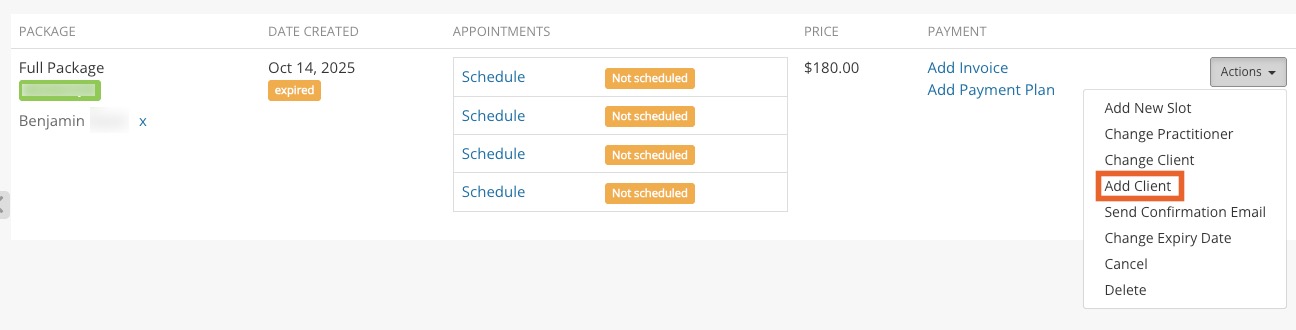
- Enter the client's information in the next window and click Save.
- The added client will appear in the package window and in the Packages tab of the added client.
