Did you recently update a service in your booking settings? Follow these steps to refresh scheduled appointments for the service to keep them up to date.
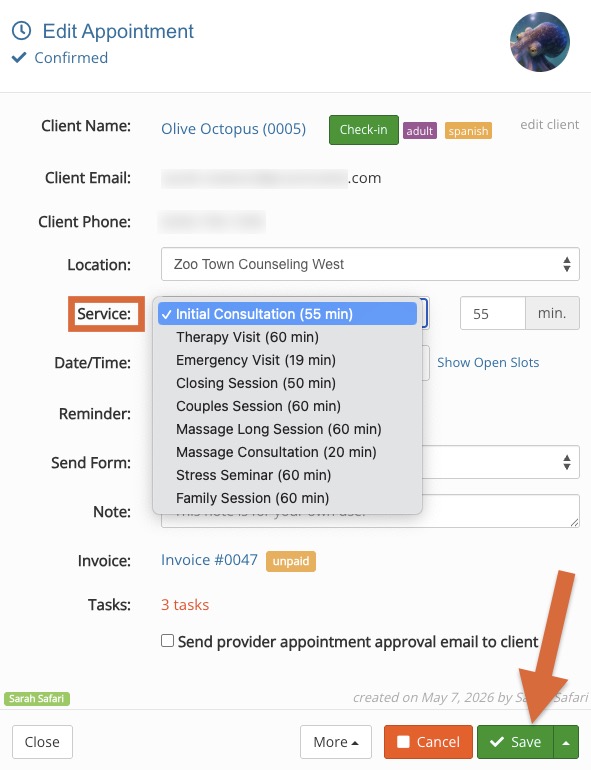
Click Bookings and open the appointment dialog.
Open the Service dropdown menu and change the service to a different service. It does not matter which one you select.
Click Save.
Re-open the appointment dialog and change the service back to what it should be.
Click Save.
The appointment will then reflect the updated service settings.
.png)