.png)
Hours Priority when Scheduling
From clinic hours to overrides and alternative hours, learn how PracticeQ prioritizes time settings when clients schedule appointments.
IMPORTANT:
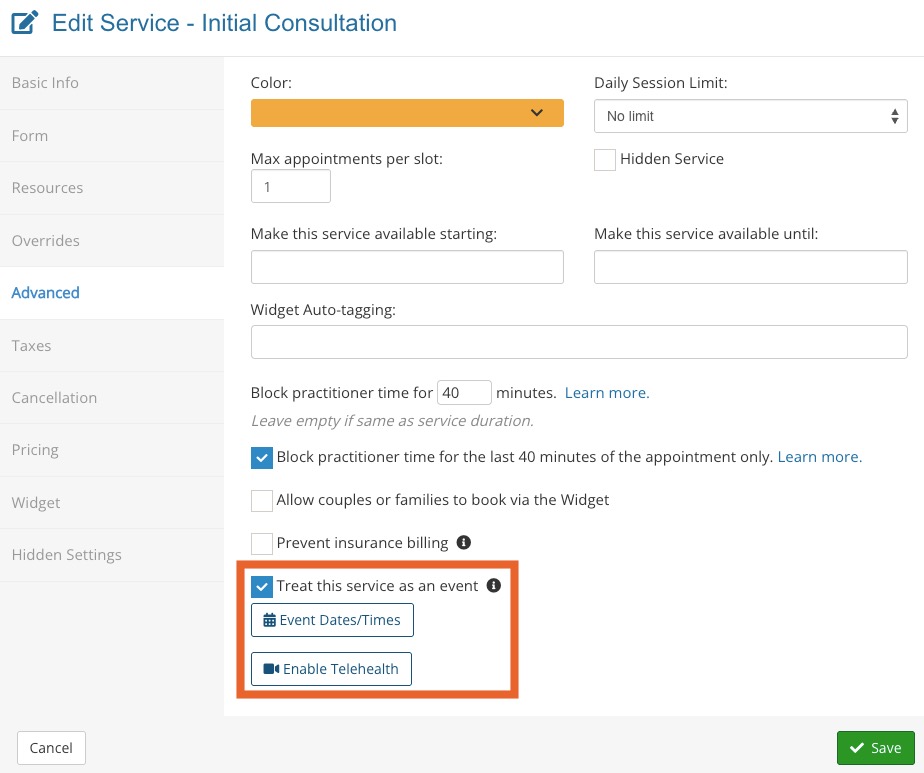
- When you treat a service as an event, that event will take precedence over all the priorities below.
- If you have an event scheduled during your regular business hours, make sure to block time on your calendar (for all practitioners and all services) to prevent appointments from being scheduled during your event.
Priority #1: Blocked Times
- Whether time is blocked directly in PracticeQ, or via an integrated calendar (such as Google or Outlook), PracticeQ considers blocked time first.
- Remember that blocked time will not matter if your practice has an appointment scheduled as an event - see message above.
Priority #2: Added Time (Extra Time)
- When a practitioner clicks the Add Time button in the Booking Calendar and adds availability, PracticeQ will consider this next.
- Remember:
- if you have blocked time, adding availability for the same time will not make the time available again, as Blocked Time is priority #1.
- If you already have an appointment scheduled, adding availability for the same time will not create an additional time slot.

Priority #3: Alternative Hours/Service Overrides
- When a practitioner adds Alternative Hours in Booking Settings, PracticeQ will consider them after events, blocked times, and added time.
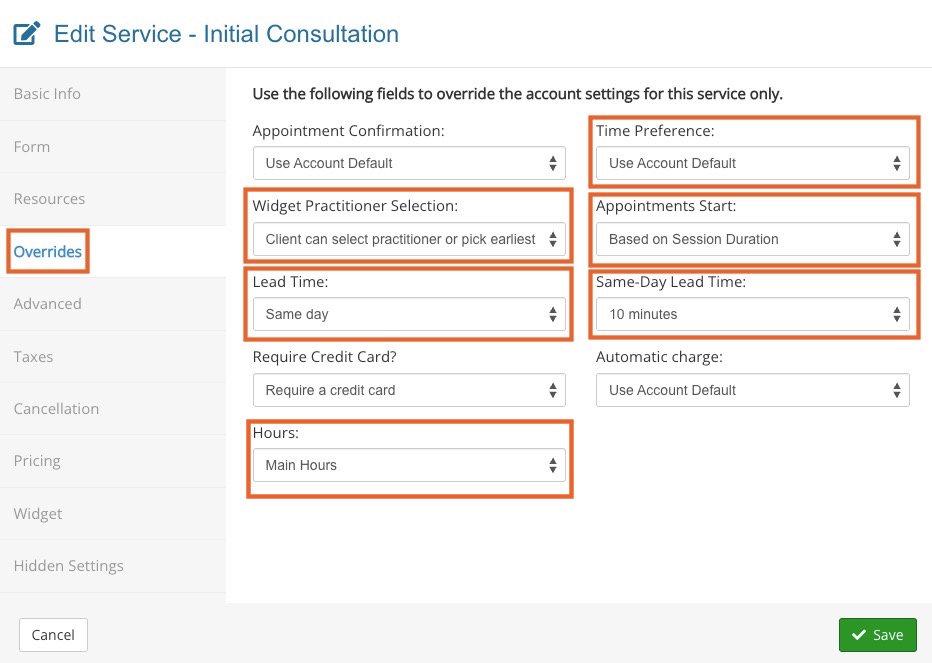
- The Alternative Hours must be applied to a service in the Overrides tab of the service settings.

- Along with Alternative Hours, PracticeQ considers overrides entered for specific services as part of Priority #3.
Priority #4: Practitioner Hours/Practitioner Overrides
- When non-admin Practitioners click Edit Hours and add their own hours, PracticeQ will take them into account after the previous three settings.

- When practitioners override clinic settings in Bookings → Booking Settings → Settings, PracticeQ will take them into account as part of Priority #4.

Priority #5: Admin (Clinic) Hours
- Lastly, PracticeQ will consider the hours entered by the practice admin in the location's booking settings.
