.png)
Process a Manual Invoice Payment
Need to process a payment for an unpaid invoice? Follow the steps below to manually charge a credit card.
If you need to record a payment that occurred outside of PracticeQ, follow the steps in this article instead.
- Open the client profile and select the Invoices tab.
- Click the unpaid invoice to open it.
- Click the Enter Payment button in the bottom right corner.
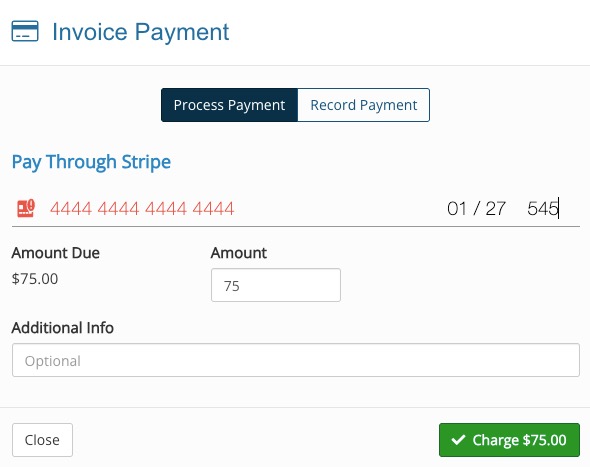
- In the Invoice Payment window that displays, enter the following:
- The card number
- Expiration month/year
- CVV
- Amount to be processed on card
- When ready, click the green Charge button.