Not sure why a client has a credit on their account? Here are the four most common reasons for client credits and how to address a credit balance.
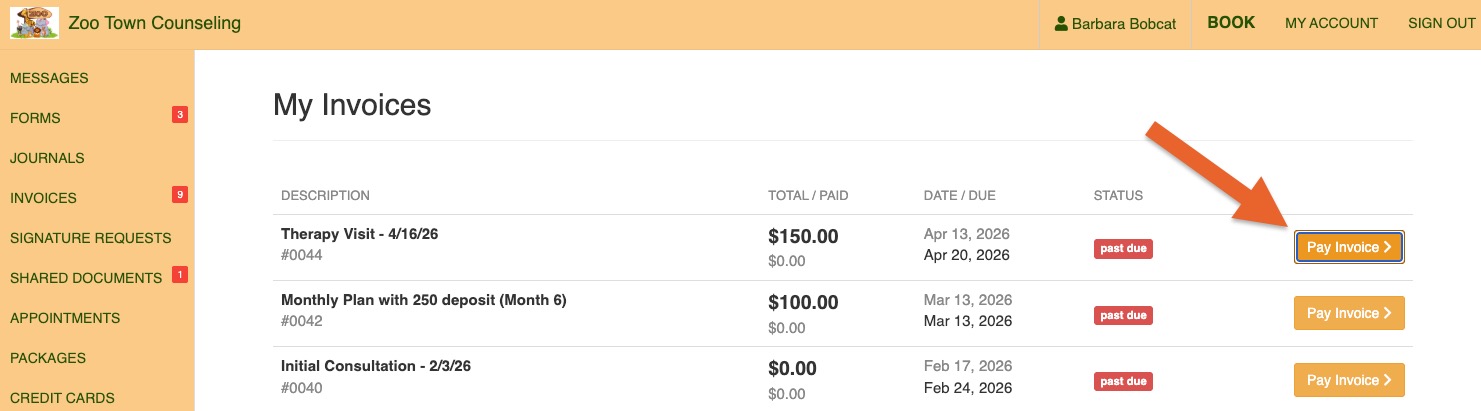
The client pays more than what is due on their invoice.
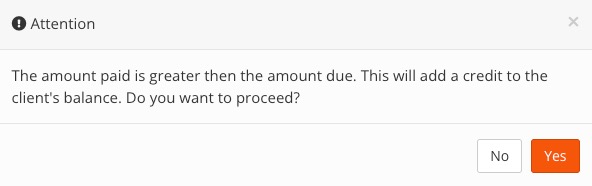
Staff charges more than the amount currently due.
The system will display an alert when this happens.
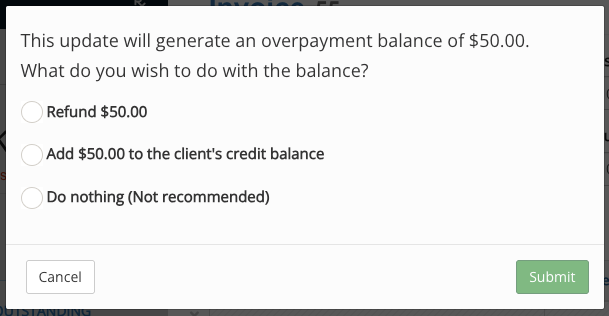
Staff edits the invoice to reduce the amount due before issuing a refund to the client.
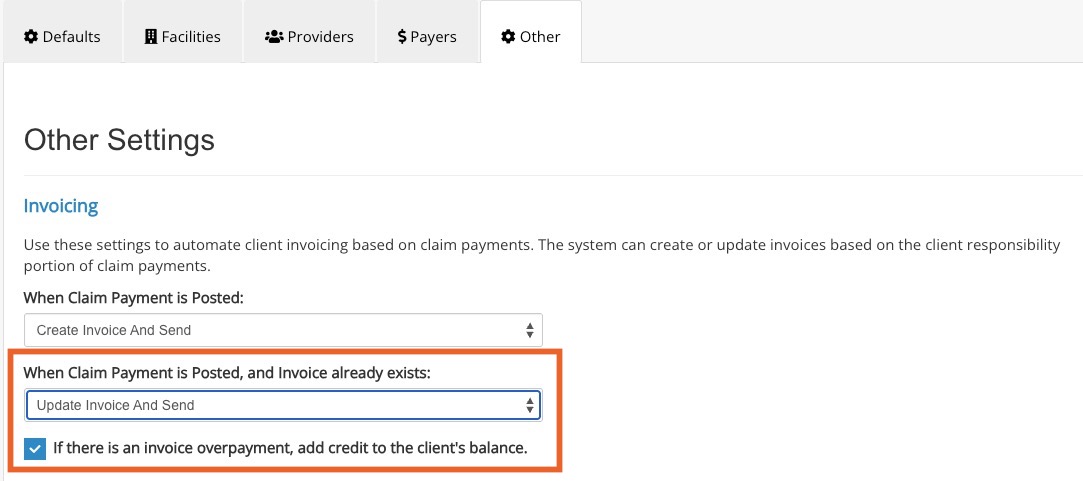
A payment is made on the claim, causing the invoice amount to be reduced.
This will happen if you elect to Update Invoice when Claim Payments are posted and invoice already exists, AND
If you check the box labeled If there is an invoice overpayment, add credit to the client's balance.
Address a Credit Balance
If you update the invoice in a way that will generate a Credit Balance, PracticeQ will present you with options to refund the credit, add the credit to the client's account, or do nothing.
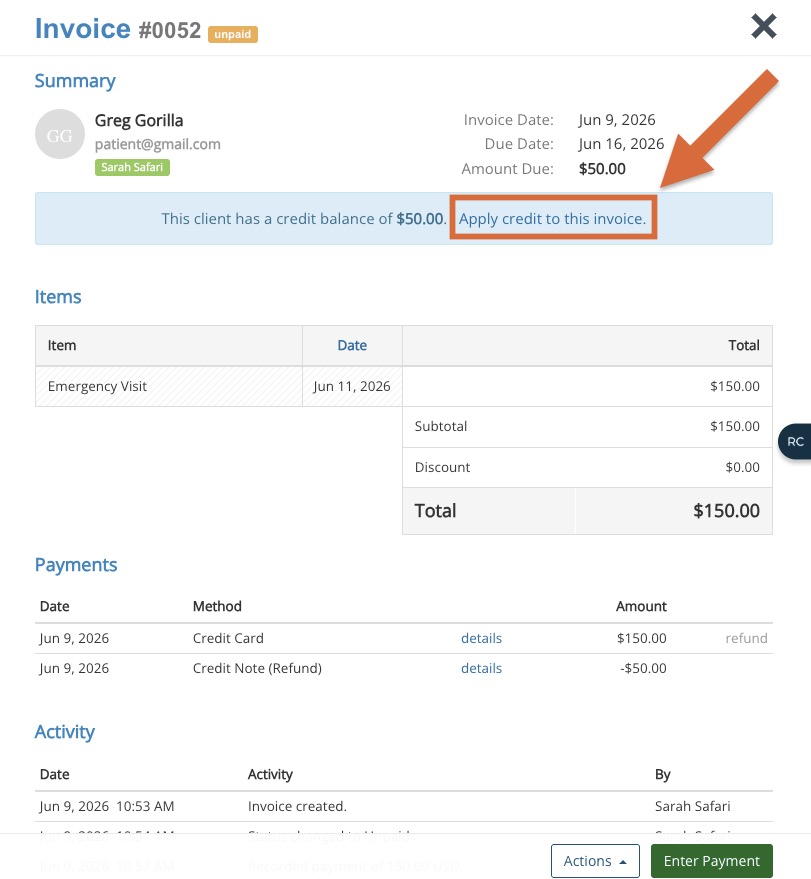
When you view any invoice for a client that has a Credit Balance, PracticeQ will display a blue banner explaining that the client has a Credit Balance, and will provide the option to apply the credit to the invoice.
When a client books an appointment via the booking widget or the secure client portal and they are prompted to pay at the time of booking, PracticeQ will display the appointment price. However, at the time of payment, it will automatically apply any Credit Balance on their account.
Credit Balances are not applied to recurring payment plans.
For example, if a client has a Credit Balance of $25.00 and is enrolled in a recurring payment plan for $100/month, PracticeQ will continue to charge $100 every time. PracticeQ willnot apply the Credit Balance and reduce the client's next charge to $75.00.
Credit Balances in reporting
When a Credit Balance is created, the amount of the Credit Balance will be removed from the practitioner's payroll/sales amount (Reports → Income).
Refunding on an invoice will also remove the Credit Balance amount from the practitioner's payroll/sales amount.
.png)