.png)
Add Uninvoiced Sessions
Need to catch up on invoicing for your clients? Add uninvoiced sessions to complete the process in just a few steps!
- Open the client's profile by clicking List → Clients or clicking the magnifying glass to search their name.
- Select the client's Invoices tab.
- Open the Create Invoice dropdown menu and select Add Uninvoiced Sessions.
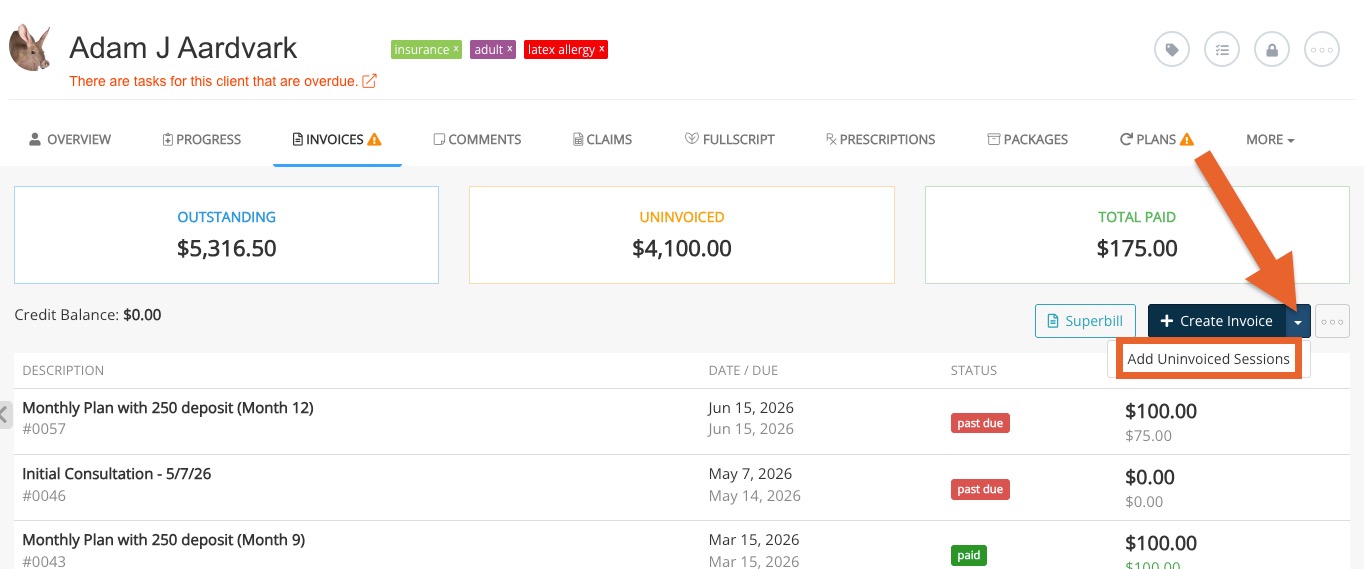
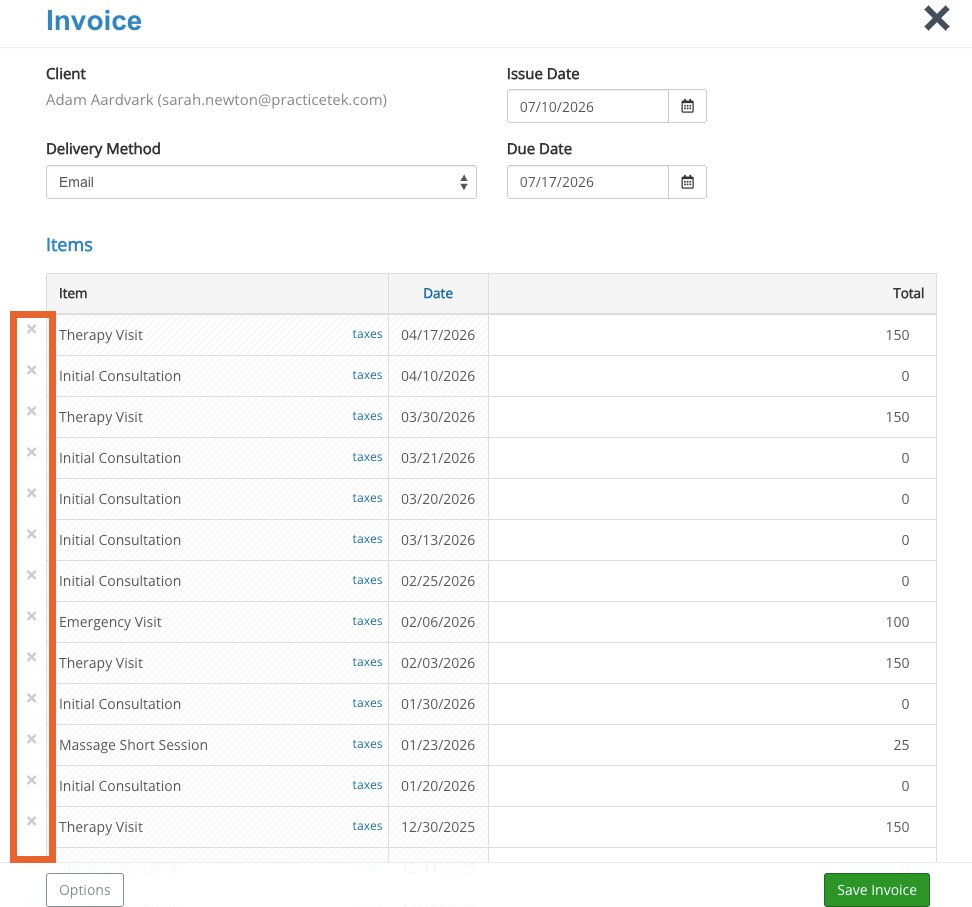
- All sessions that have not yet been invoiced will populate on a single invoice.
- If you wish remove a session from the invoice, click the X icon next to it.
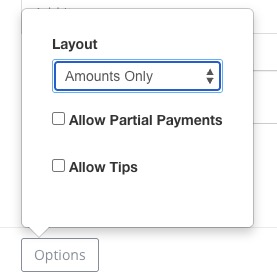
- If desired, open the Options menu on the bottom left to customize the invoice.
- Click Save Invoice.
