Have questions about auto-charge behavior in PracticeQ? Here are the answers to your most common questions.
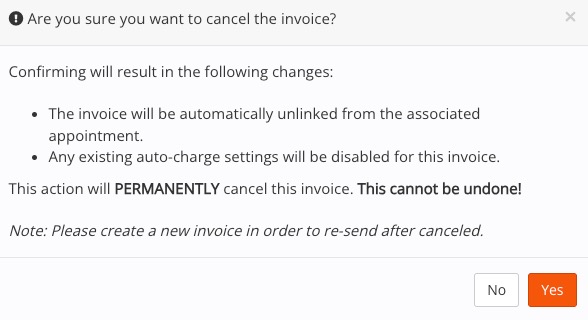
I canceled the invoice for an appointment, but the auto-charge still processed. Why?
Is the service set to auto-charge in your Booking Settings? If so, cancelling the invoice unlinks it from the appointment.
PracticeQ automatically checks for services that need to be auto-charged. When it sees the appointment in question, it will generate a new invoice and attempt to auto-charge the client for 24 hours following the appointment time.
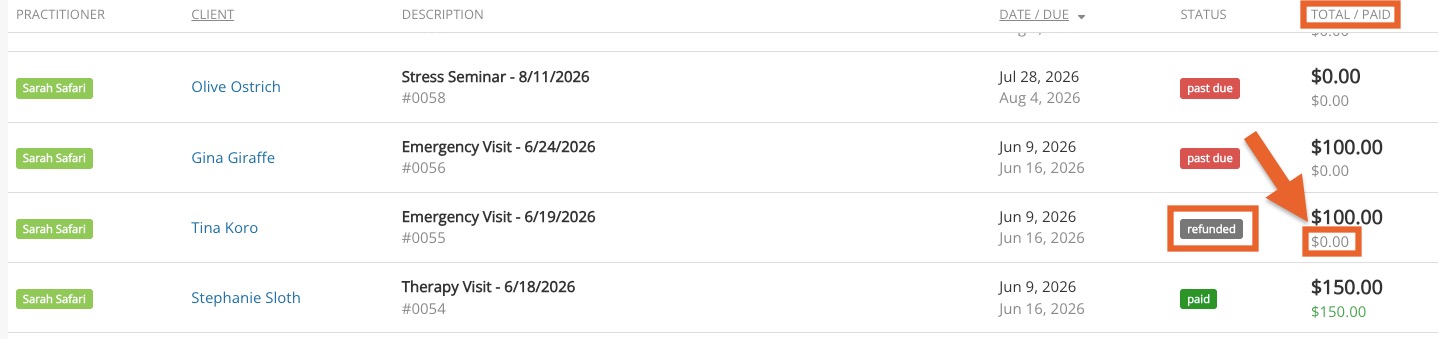
I refunded the invoice for the appointment, but the auto-charge still processed. Why?
Is the service set to auto-charge in your Booking Settings? If so, simply refunding the invoice will not prevent the auto-charge process.
If you refund the invoice but do not edit it to reflect $0 due, PracticeQ will detect the unpaid status of the invoice and attempt to auto-charge the client for 24 hours following the appointment time.
I set my auto-charge to process 2 hours before the appointment time, but it processed 1 hour before instead. Why?
Auto-charge times may not always be exact, especially if your practice has several auto-charges queued to trigger at the same time.
When the API is busy, PracticeQ will work to process the auto-charge between 90 minutes to 2 hours before the appointment.
If the API is still busy in that time block, PracticeQ will process the auto-charge later that same day.
.png)