.png)
NEW: Insurance Badges in Client Profile
Spot Insurance Payer status instantly with PracticeQ’s new insurance badges, right from the client profile.
Insurance badges will display next to the Insurance Company Name in the client profile. They will show one of the following:
- In Network
- Out Of Network
- Not On Payer List
To view/edit your Payer List, click Lists → Claims → Claims Settings and select the Payers tab.
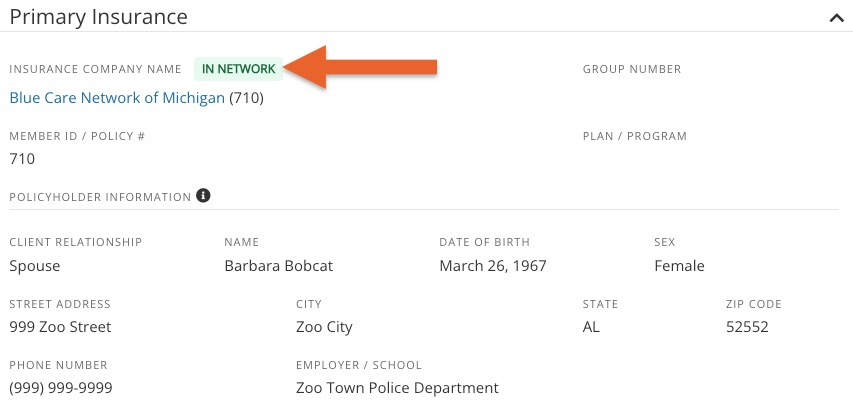
In Network
- A payer will display an In Network badge when the payer is selected from your account's Payer List AND the I'm an out-of-network provider with this payer setting for that payer is not selected.

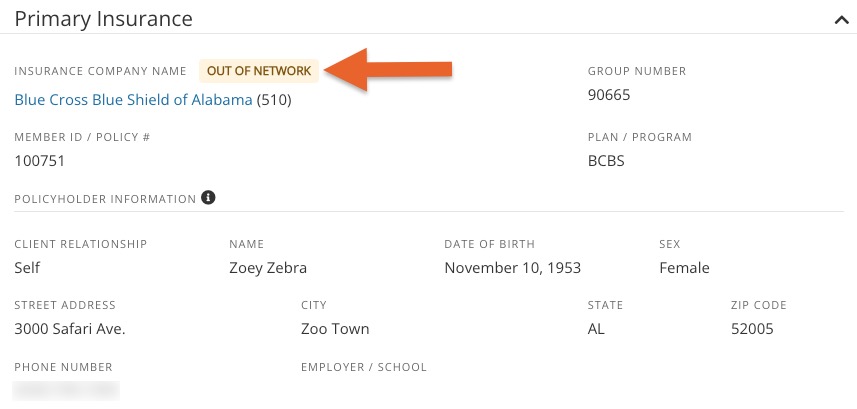
Out Of Network
- A payer will display an Out of Network badge when the payer is selected from your account's Payer List AND the I'm an out-of-network provider with this payer setting for that payer is selected.
 Not On Payer List
 Not On Payer List
- A payer will display a Not On Payer List badge when the client completes an intake form and selects a payer outside of the account's payer list.

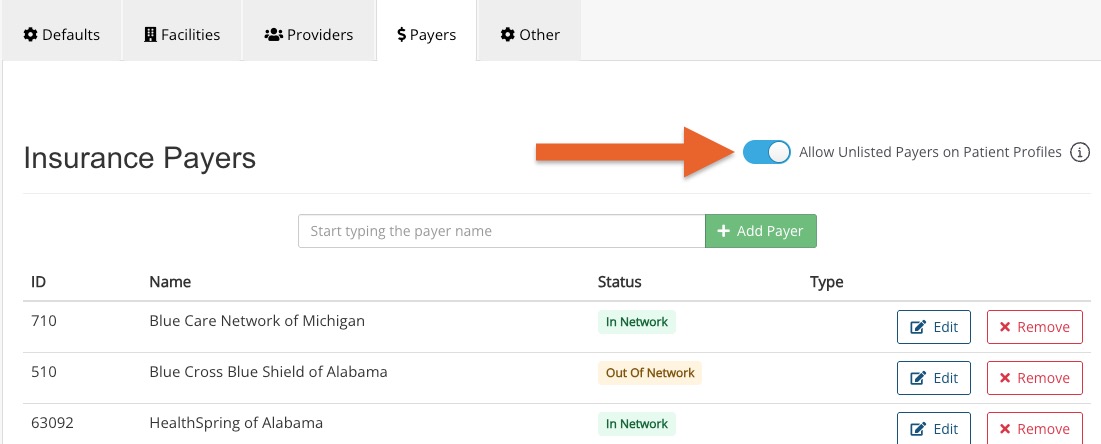
- Clients will not be able to select a payer outside of your payer list unless you turn on the Allow Unlisted Payers on Patient Profiles setting in Lists → Claims → Claims Settings → Payers. See screenshot below.
- You may also see the Not On Payer List badge if a staff member selected or manually entered a payer outside of the payer list when editing a client's profile. Staff may do this at any time, even if the Allow Unlisted Payers on Patient Profiles setting is turned off.