.png)
Appointment Packages on Appointment Report
Does your practice offer appointment packages? Read more to learn how appointment packages reflect in Reports → Appointments.
Paid appointment packages do show in Reports → Appointments, and they are represented separately from ordinary service revenue.
Where do appointment packages appear?
A package can appear in several places:
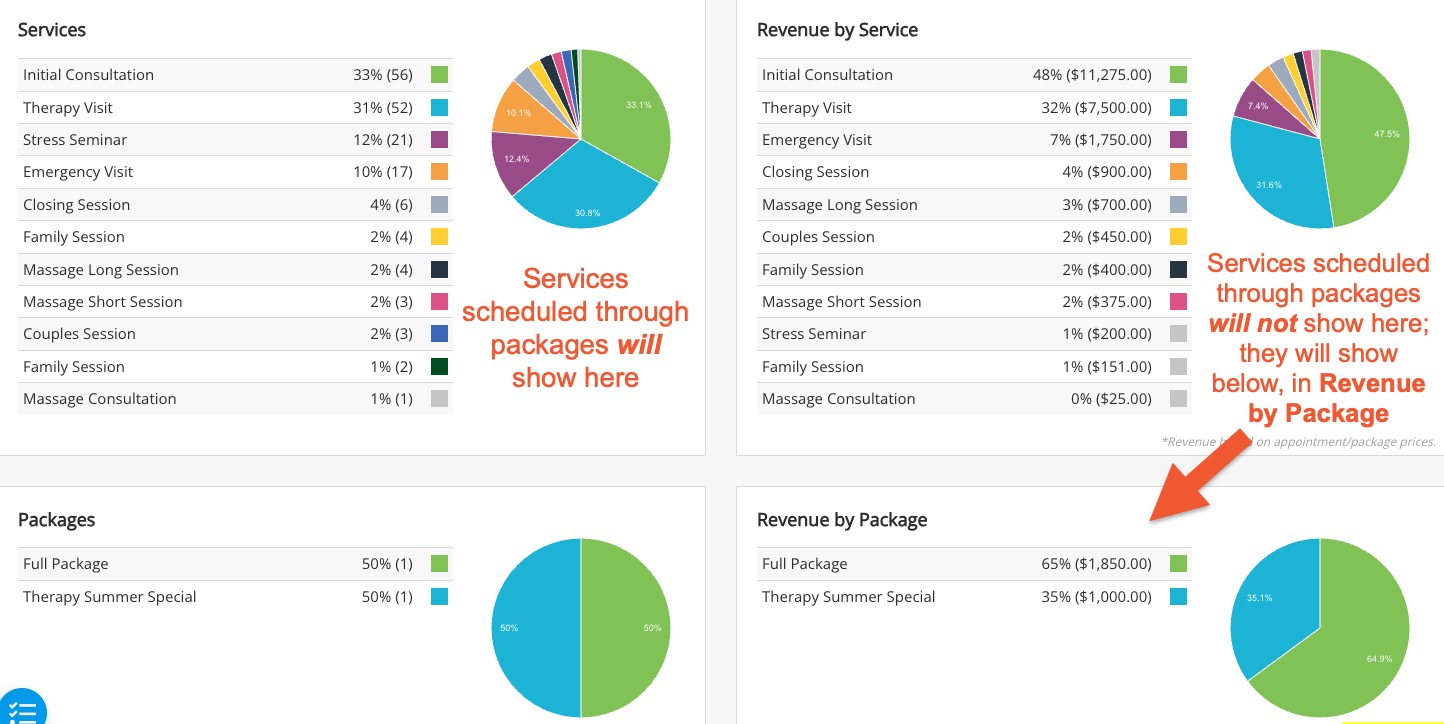
- The Packages section shows the package name, the number of packages created/sold, and its percentage of all packages in the selected period.
- The Revenue by Package section shows the amount attributed to each package.
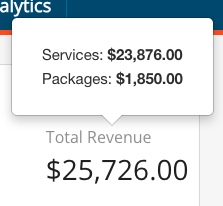
- The Total Revenue metric in the Summary section includes both Services and Packages; the revenue popover explicitly breaks those totals apart.
When the report is Based on payments only:
- Package revenue is the sum of payments on the package’s non-canceled invoice(s).
- It is not merely the package list price.
- If the package is only partially paid, only the amount paid is reported.
- If no payment was collected, its paid revenue is zero.
When the report is Based on appointment price:
- It uses the package price instead.
- This version of the report will show revenue based on appointment/package prices versus revenue based on paid amounts.
- This is regardless of whether the package has been paid in full or not.
Date Behavior:
- The package purchase amount that displays on the report uses the package’s creation date (when it was created by staff or by the client in the booking widget), not the dates of the appointments later redeemed from the package. Practitioner and location filters are applied to the package record as well.
Revenue Behavior:
- Appointments booked from the package still count as appointments and appear under their service in the appointment counts. However, package-linked sessions are excluded from ordinary Service Revenue, preventing the projected package price from also being counted again as session revenue.
To sum it up:
A paid package appears in Reports → Appointments as package revenue, while the individual sessions count as appointments, but do not add the package price again as service revenue.
This means that if a service is part of a package, it will still show as a service, but the revenue generated but that service will show as zero in the revenue.
Example:
If a client creates a $500 package and pays $200 today:
- Reports → Appointments, based on payments only, shows $200 in package revenue for the package’s creation period.
- Reports → Appointments, based on appointment price, shows the package price rather than only the payment collected.