.png)
Appointment Packages on Income Report
Does your practice offer appointment packages? Read more to learn how appointment packages reflect in Reports → Income.
About the Income Report
In Reports → Income, package payments do not display in their own Packages category. Package payments are listed as normal Client Payments associated with the package’s invoice.
Reports → Income does not have a dedicated package row or package subtotal. Its Client Income section displays the following:
- Client Payments
- Payment method breakdowns
- Client Refunds
- Coupons/Discounts
- Total Client Income
Once an invoice is paid, the payment is included under Client Payments, according to the payment date selected in the report. The total includes all payments from all non-canceled invoices. Package invoice payments are handled the same way as other client invoice payments.
The Income Report is based on the payment methods included in the associated invoices, such as:
- Stripe
- Square
- PracticeQ/ACH
- Registered Offline Payments
How can I identify package payments in the Income Report?
- Click the Client Payments total to open Income Report Details.
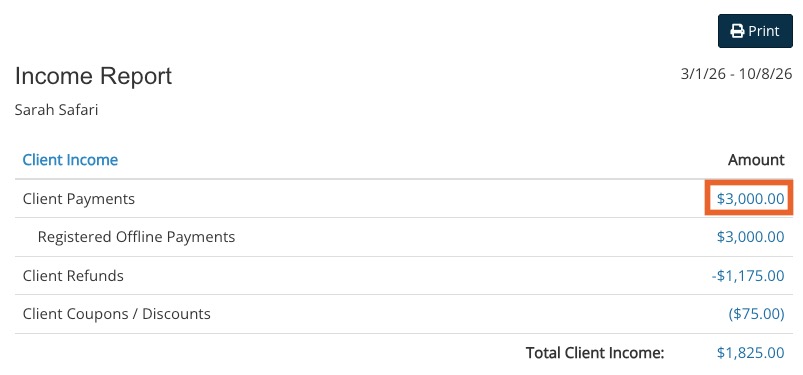
- The package payment appears as an Invoice with the client, practitioner, payment date, payment method, and amount.
- The detail table does not identify it as a separate package payment

- Open the invoice to see the package name and price in the invoice line item.
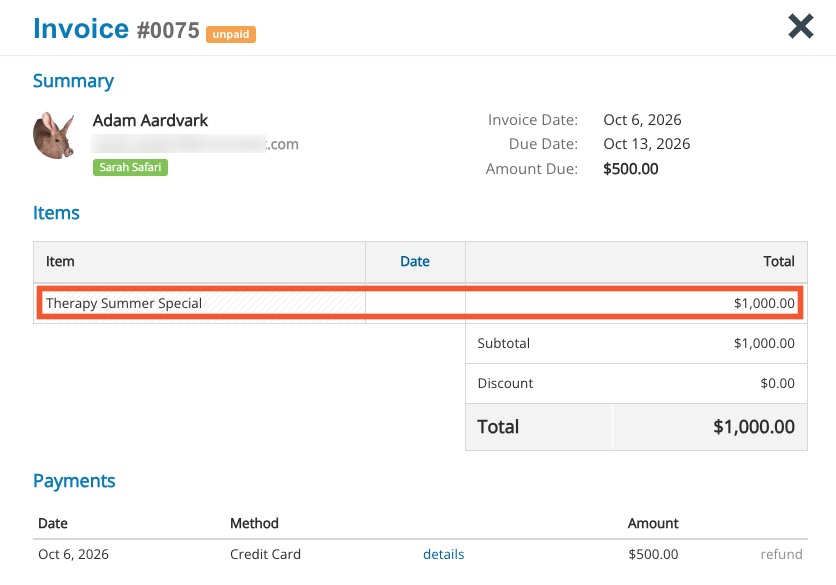
To sum it up:
- In Reports → Income, a paid package appears as an ordinary Client Payment/Invoice payment.
- It will not appear in a separately labeled Package income category.
Example:
If a client creates a $1000 package and pays $500 today:
- Reports → Income will show $500 under Client Payments for today’s payment date, under the applicable payment method.