.png)
Legal Names on Insurance Documents & ePrescribe
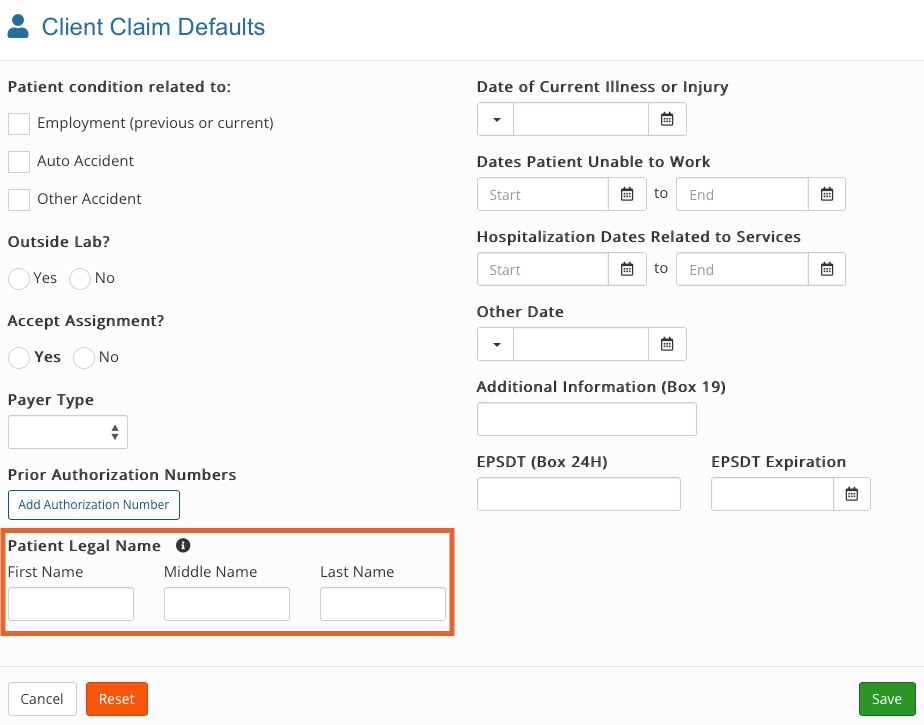
In some instances you may want a client's preferred name on their profile, but need a different "legal name" on insurance documents. This practice is supported by PracticeQ.
NOTE: If you set a legal name for a client, it will automatically be used on superbills and claims, and for medications in ePrescribe.
Set a legal name for a client
- Click Lists → Clients and open the client's profile.
- Select the Claims tab.
- Click Claim Defaults.
- Enter the client's legal name in the Patient Legal Name field.
- Click Save.