.png)
Cancel Your Subscription
We hate to see you go, but if you must, follow the steps below to cancel your subscription.
Before you cancel, we'd love the chance to assist you with any concerns, or know why you are leaving. Please contact us at hello@intakeq.com and we'll be happy to speak with you!
- Log in as the account administrator.
- Click More → Subscription.
- Click Cancel Subscription.
- Carefully review the information presented about account cancellation, including the fact that if you cancel, you will lose account access on your renewal date and your data will only be saved for 30 days after that date.
- You will be offered the Read-Only option as an alternative to cancellation. Learn more about Read-Only status here.
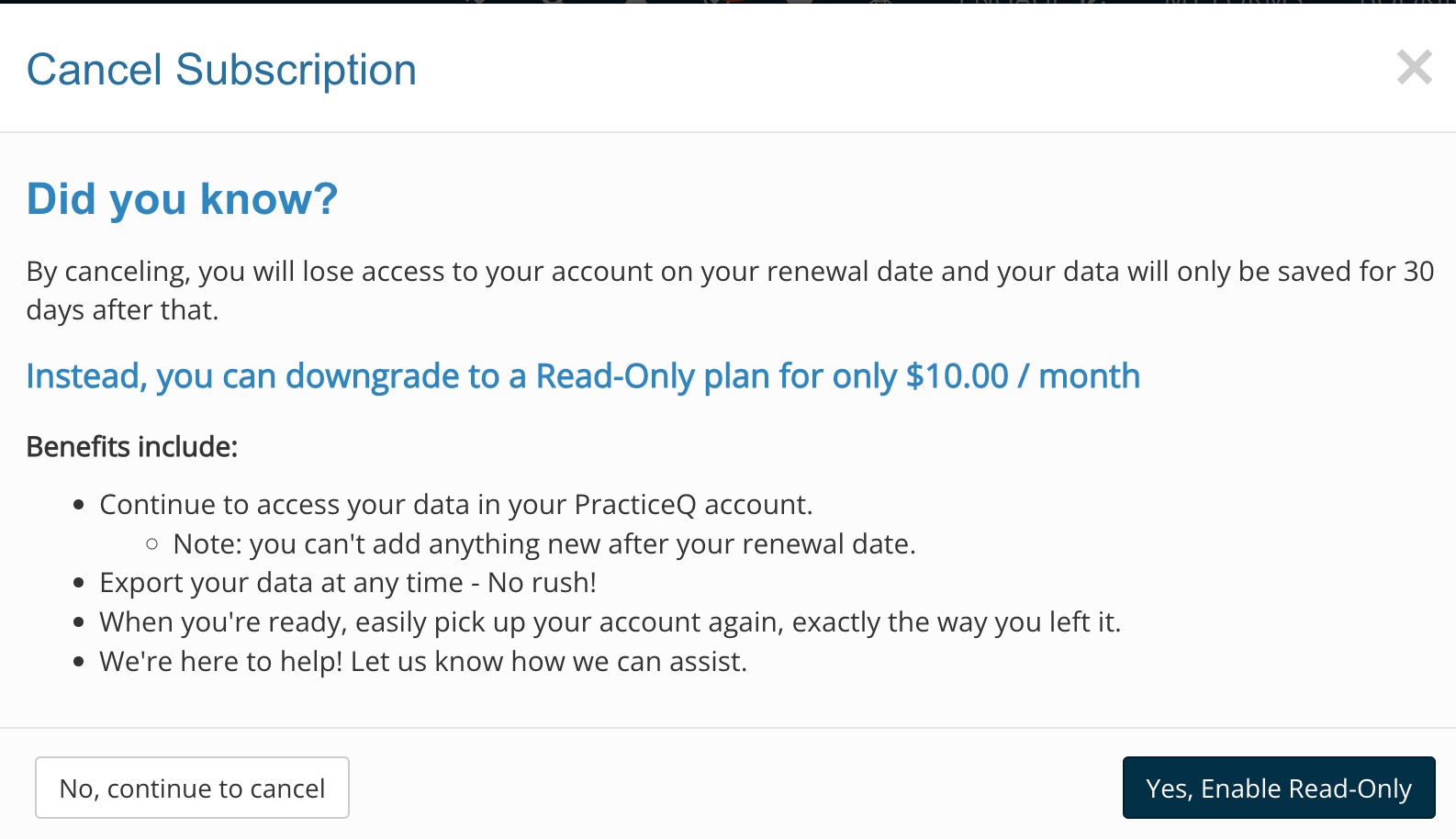
- Choose one of the following options:
- Click No, continue to cancel. You will be asked a few questions before your cancellation is finalized.
- Click Yes, Enable Read-Only. This will transition your account to Read-Only status, effective immediately. At the end of the billing cycle, your account will be pro-rated to reflect the $10/month Read-Only fee.
- Click the X or click away from the window to dismiss it.
