.png)
AI Form Builder: Create a Questionnaire Draft
Turn your ideas into a questionnaire in seconds. The AI Form Builder generates customizable drafts from just a few prompts.
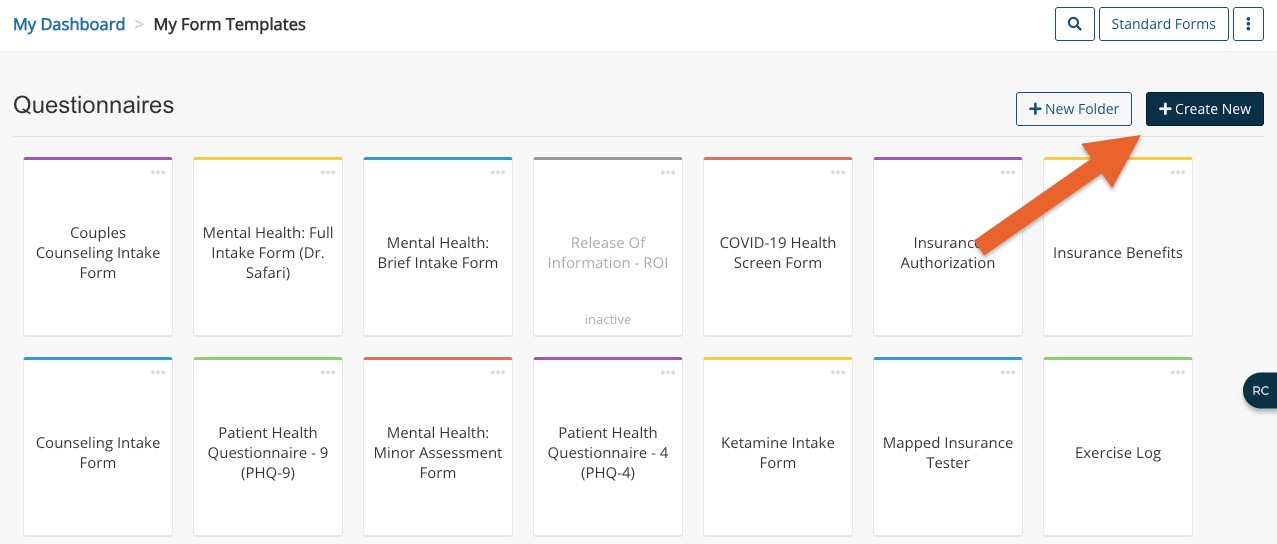
- Click My Forms and locate the Questionnaires section.
- Click the Create New button (now located next to the New Folder button).
- Three options will display:
- AI Form Builder
- Create Manually
- Upload a Form
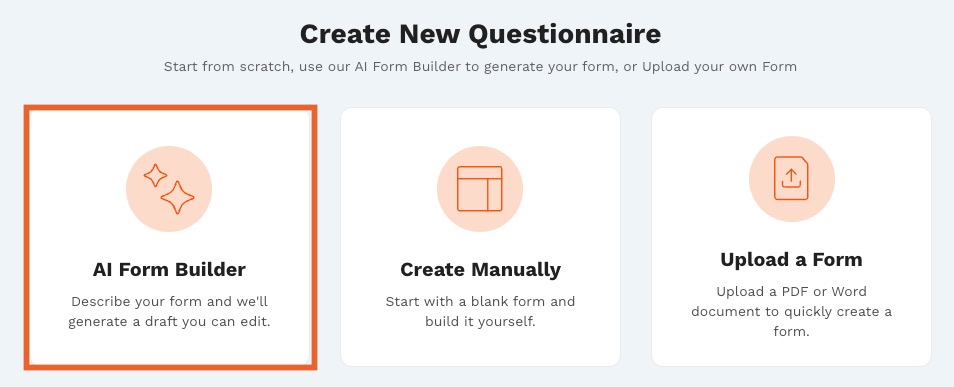
- Click the AI Form Builder option.
- In the first screen, select your Specialty from the dropdown menu.
- Type the first few letters of your specialty to jump to it on the list.
- If your specialty is not in the list, you may select a similar specialty or Other.
- Click Continue.
- On the next screen, select the Type of Questionnaire you wish to create.** See Live Chat Function information below.
- Click Continue.
- On the next screen, select the Clinical Focus of the questionnaire you wish to create.**
- Click Continue.
- Select which form you would like to build.**
- Click Draft Questionnaire Form.
- The AI Form Builder will process your input to create a questionnaire draft.
- Do not refresh or close the browser tab
- Next, fine-tune the questionnaire to fit your needs.
**Live chat function
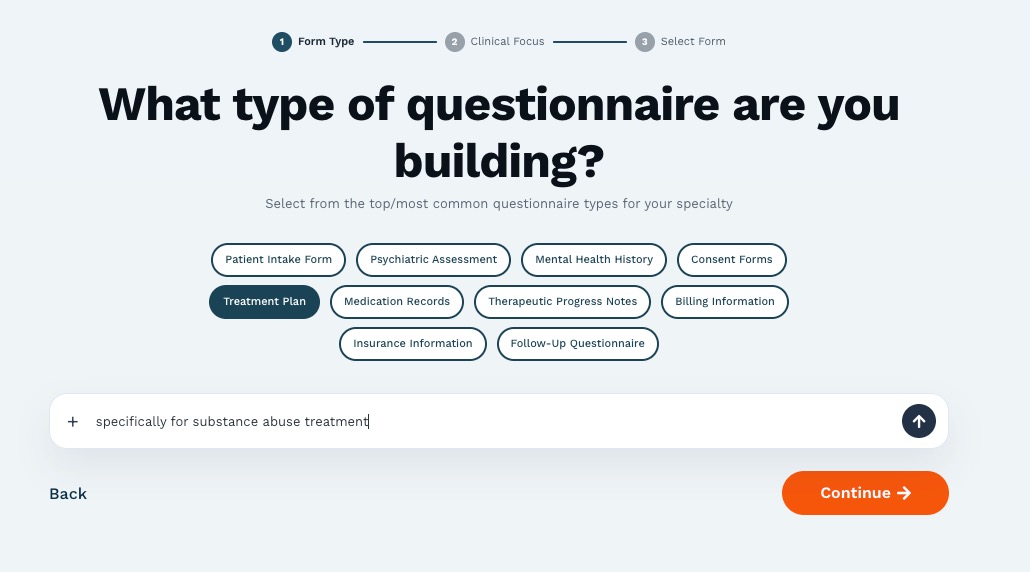
**If none of the options fit your needs, type into the How can I help you? field to begin a live AI chat.
IMPORTANT: Anything you add in the live chat will be processed instead of any prompted suggestions that have been selected. Your selected specialty will still be utilized in the live chat. The live chat and the prompted suggestions operate exclusively.
- Example: If you select Treatment Plan from the prompted suggestions AND type specifically for substance abuse treatment in the chat, AI will only process your chat prompt. In that scenario, it is best to type Treatment plan for substance abuse treatment in the chat.
NOTE: In order to provide optimal results, each live chat is limited to 5 AI interactions