.png)
AI Form Builder: Upload a Questionnaire
Skip the manual rebuild! Upload your existing questionnaire and let AI convert it into a digital form for you.
- Click My Forms.
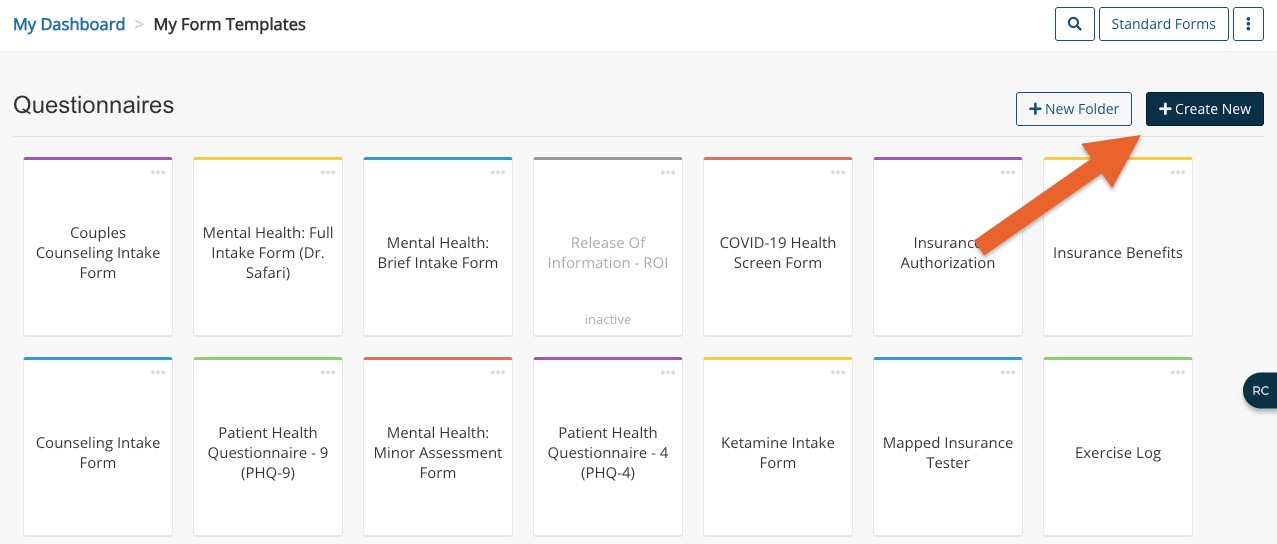
- Click the Create New button (now located next to the New Folder button).
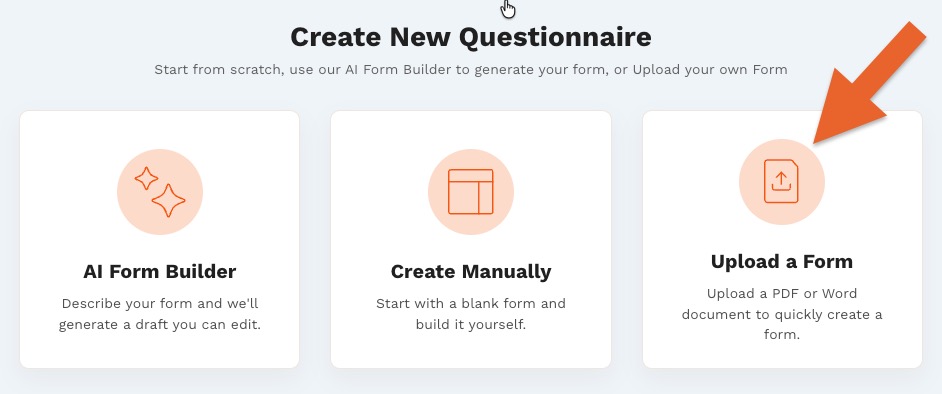
- Select the Upload a Form option.
- Upload a file by dragging and dropping it into the window or browsing your device.
- The file must be in PDF format.
- Once the file is uploaded, click Process with AI.
- AI will analyze your document and generate an editable questionnaire draft.
- Do not close or refresh the tab while the draft is generating.
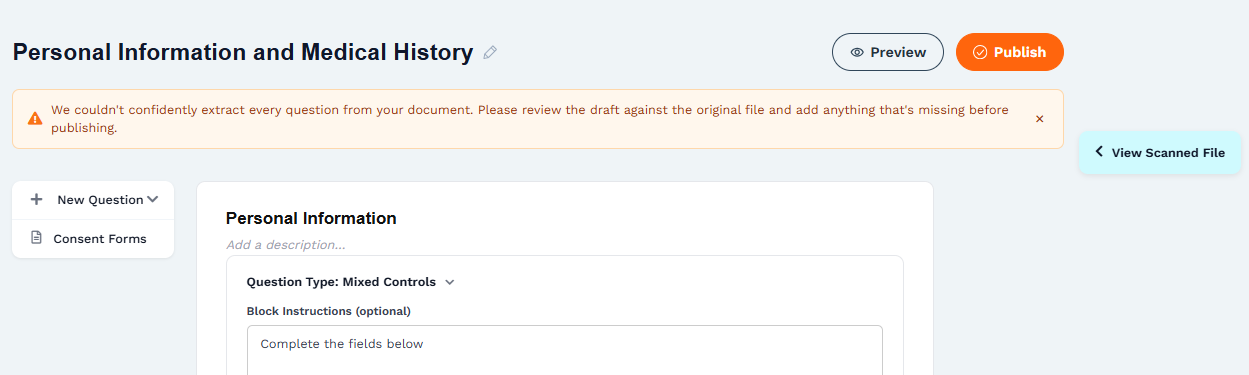
- You may see a message if AI was not able to extract all the information from your scanned file. It will suggest that you compare your draft with the original document.
- To do so, click View Scanned File. Your uploaded PDF will display alongside your questionnaire for easy comparison.
- To do so, click View Scanned File. Your uploaded PDF will display alongside your questionnaire for easy comparison.
- Edit your draft to your liking. Click here for editing tips.
- When you are satisfied with your draft, click Publish.
- The completed questionnaire will be added to your collection, and you will be redirected to it in the form editor view.
Do not close the tab while you are editing. Doing so will discard the draft, and you will have to re-start the process. Since AI generates drafts dynamically, the next draft may not be identical to the original.