.png)
Engage Premium - Arrival Time Variable
Do you need your clients to arrive early for their sessions? Include an Arrival Time in your reminders in a few easy steps!
Note: The Arrival Time variable is only available with Engage Premium. To learn more about what Premium offers, click here.
Set Your Arrival Time
- Click Engage from your PracticeQ toolbar.
- Click Templates.
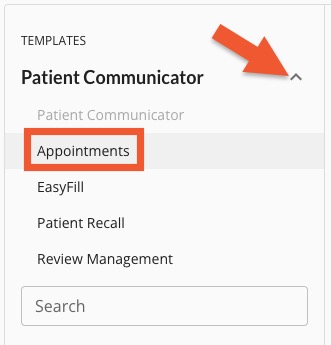
- Next to the Patient Communicator heading, click the arrow to open the dropdown menu.
- Select Appointments.
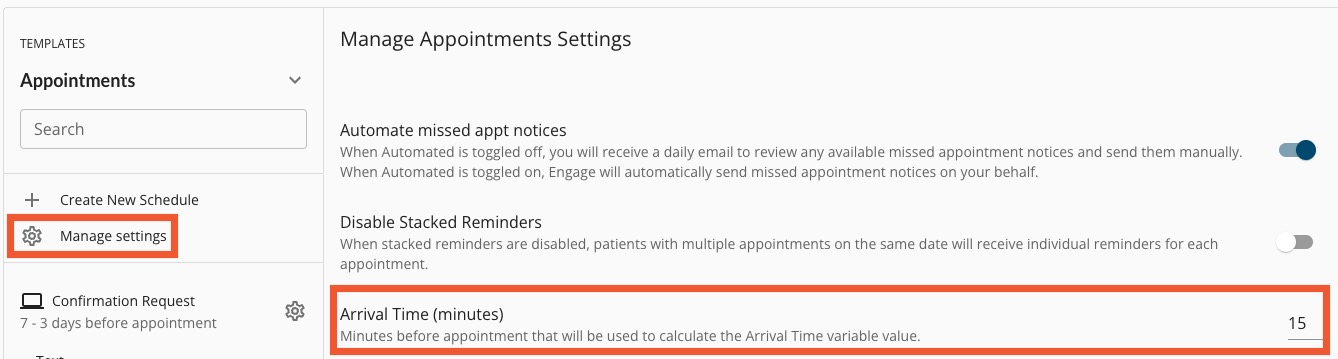
- Click Manage Settings.
- Locate the Arrival Time setting and enter how many minutes prior to the appointment time you want clients to arrive.
- Engage will display a banner confirming the change has been applied.
Note: Repeat this process for each of your practice locations.

Apply the Arrival Time Variable
- Click Engage from your PracticeQ toolbar.
- Click Templates.
- Next to the Patient Communicator heading, click the arrow to open the dropdown menu.
- Select Appointments.
- Click the template you wish to edit.
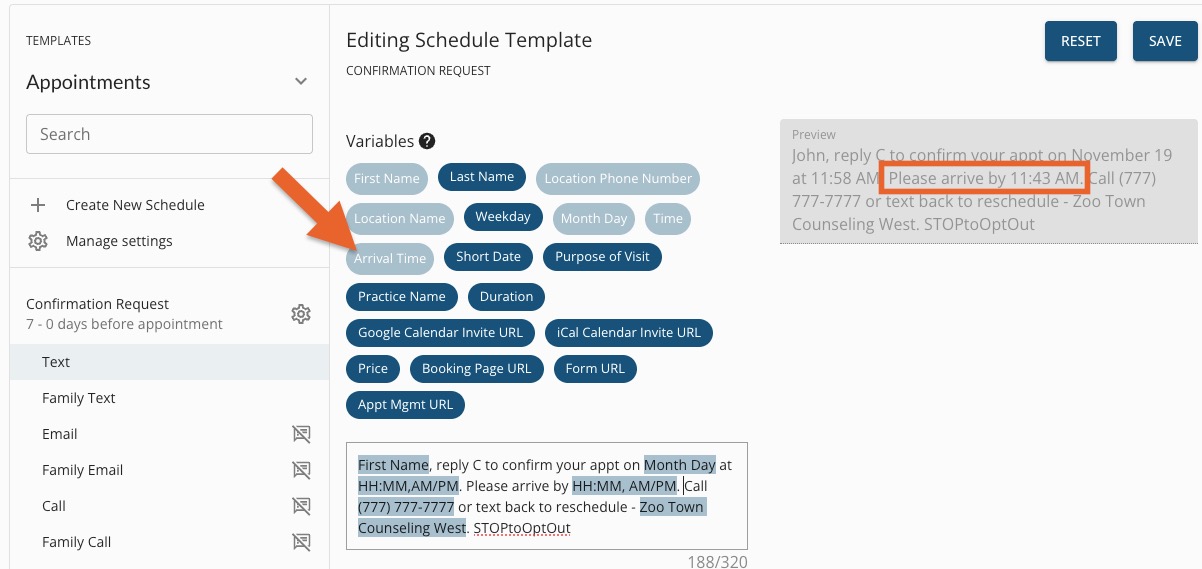
- Place your cursor in the body of the message and type the verbiage leading up to the arrival time, such as Please arrive by.
- Click the Arrival Time variable to add it to the message.
- Check the Preview to the right to ensure the arrival time displays correctly.
- Click Save.
- Repeat this process for all reminder templates requiring an arrival time.
For more about Engage and how you can add it to your PracticeQ account, click here.