.png)
Create Task Reminders
Once you have created tasks for team members, create task reminders to ensure completion!
Note: Only tasks that are due in less than 24 hours and still pending will show in the Task Notification popup bubble.
- Click the Tasks icon.
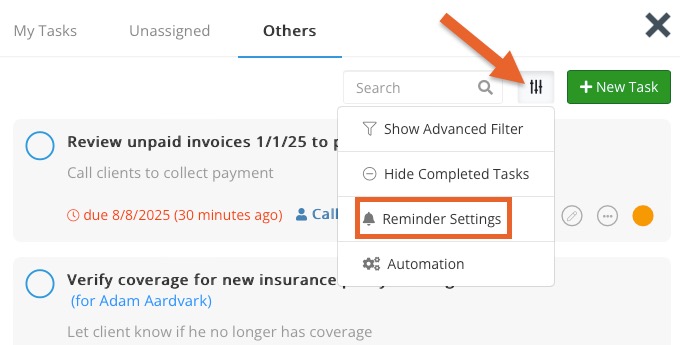
- Click the three arrow icon and select Reminder Settings.
- Click the Add Reminder button.
- Set when task reminders will be sent. Reminders are sent based on task priority. Currently only email is available.
Note: Tasks reminders are set on a per-user basis, meaning each PracticeQ user login has their own reminder settings separate from other users.