.png)
Engage - Purpose of Visit
Pull your service names into appointment reminders with the Purpose of Visit variable!
- Click Engage from your PracticeQ toolbar.
- Click Templates → Appointments.
- Scroll down to the template that needs the variable and click to open it for editing.
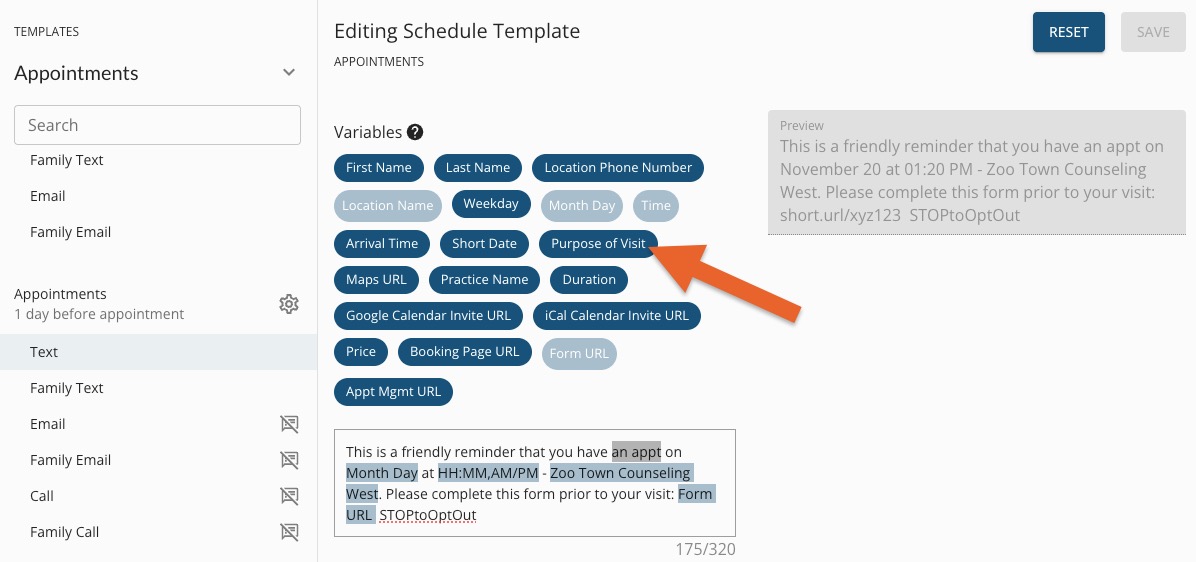
- Place your cursor where you want the service name to appear in the message. Edit surrounding text if needed.
- Click the Purpose of Visit variable from the menu above.
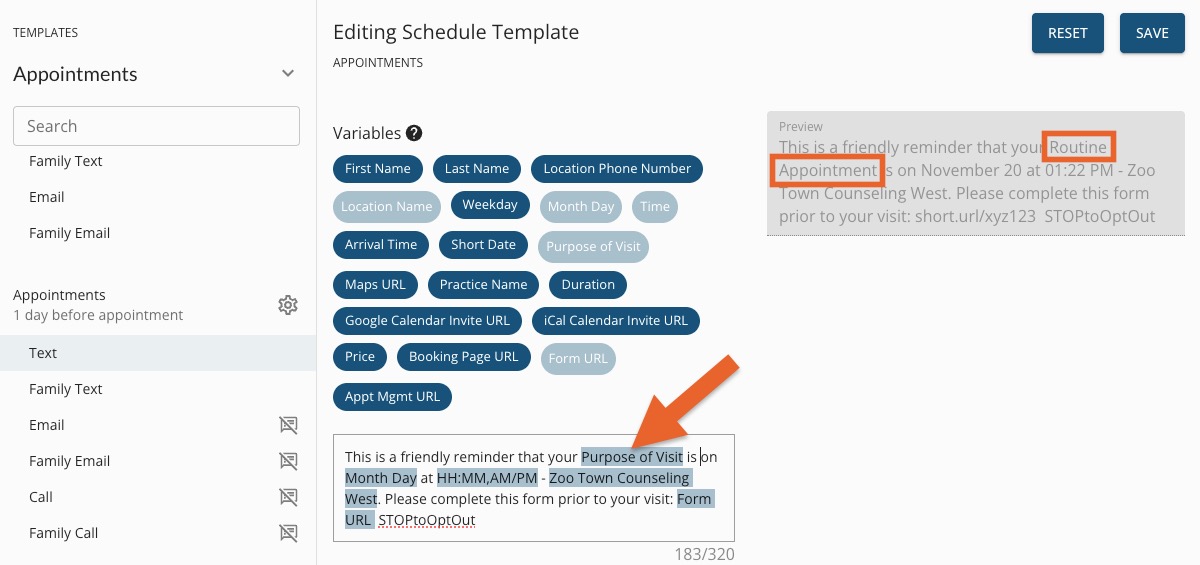
- The Purpose of Visit will show as Routine Appointment in the Preview; when sent to clients, it will display the service name for their scheduled appointment.
For more about Engage and how you can add it to your PracticeQ account, click here.
Note: You can add the Purpose of Visit placeholder to your Missed Appointment Notice and your Recall templates as well!