.png)
Update Your DNS Records for Email Delivery
To update your DNS records to send emails from your own email address, please follow the below instructions:
- Go to your Email Sender settings by clicking More → Settings → Email Sender.
- The required DNS values will already be displayed in the table.
- Copy them into a new DNS record on your DNS providers website.
- Click the Refresh button to verify the new records.
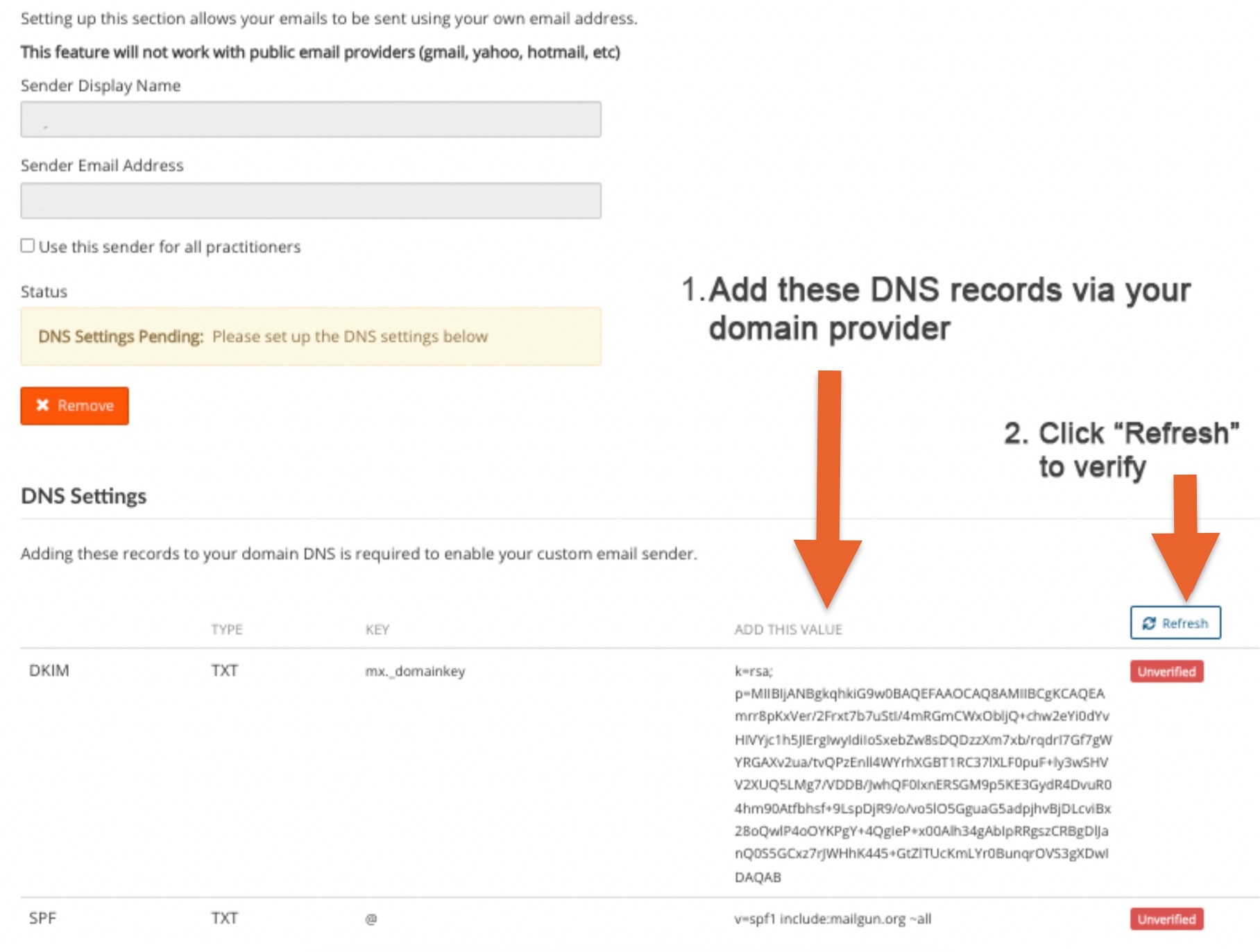
- Once verified, the records will display a green Verified label.
Note: You will need to remove the previous records.
