.png)
Engage - Customize Your Google Auto-Response Templates
Engage provides templated responses that will deploy to clients who rate your practice on Google. Customize your 1-5 star responses to add a personal touch!
- Click Engage from your PracticeQ toolbar.
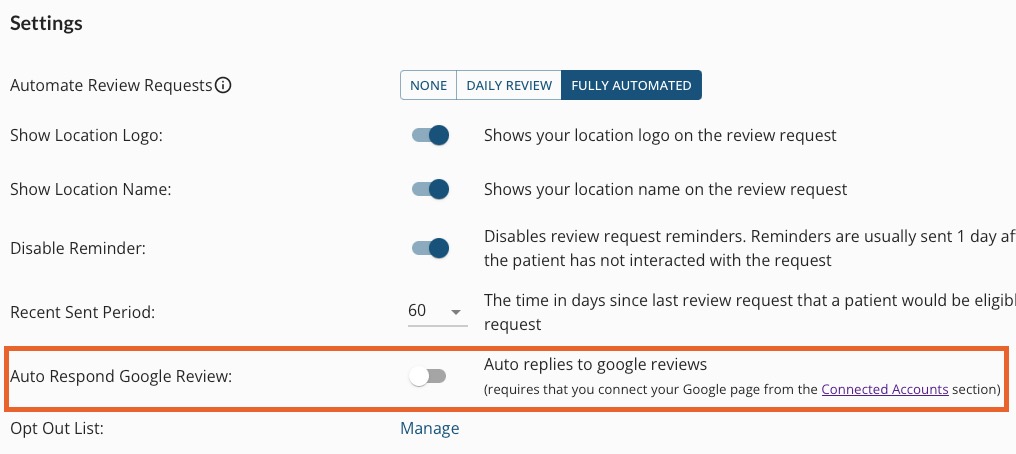
- Click Review Management → Settings.
- Toggle on the setting labeled Auto Respond Google Review.
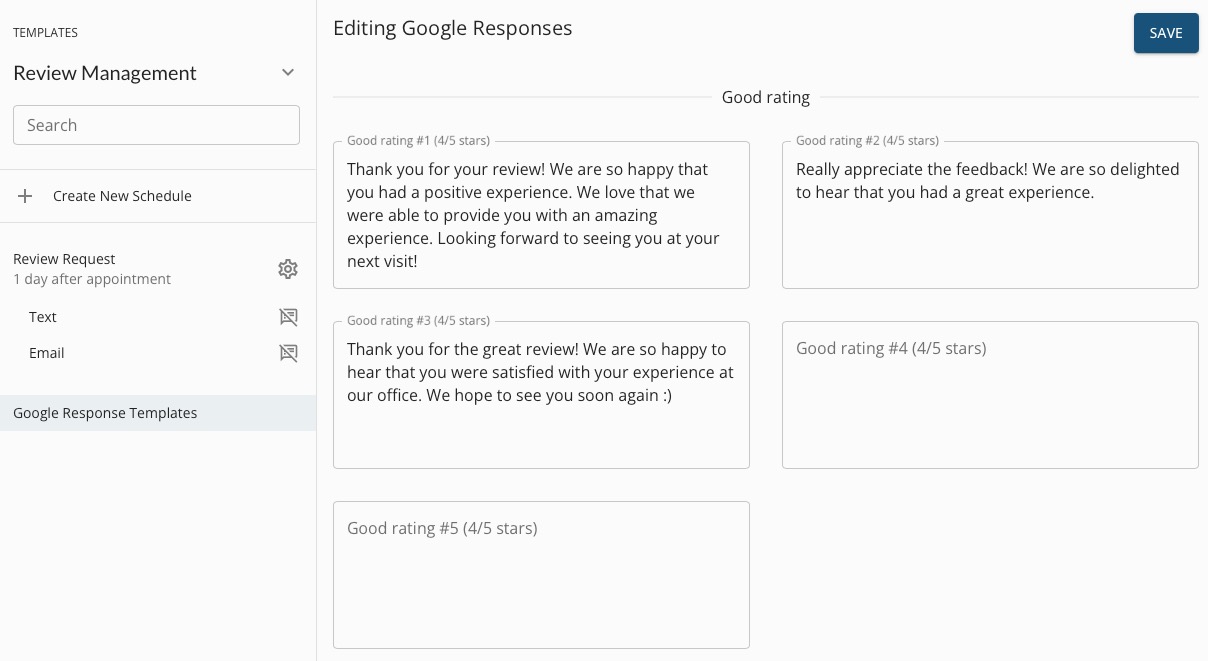
- Click Templates → Review Management.
- Click Google Response Templates.
- Engage provides three default responses to good reviews (4/5 stars)
- Edit Good ratings #1, #2 and #3, if desired.
- Enter additional responses (Good rating #4 and Good rating #5) if desired.
- Click SAVE.
- Google will send the responses at random so that clients will not receive consecutive identical responses.
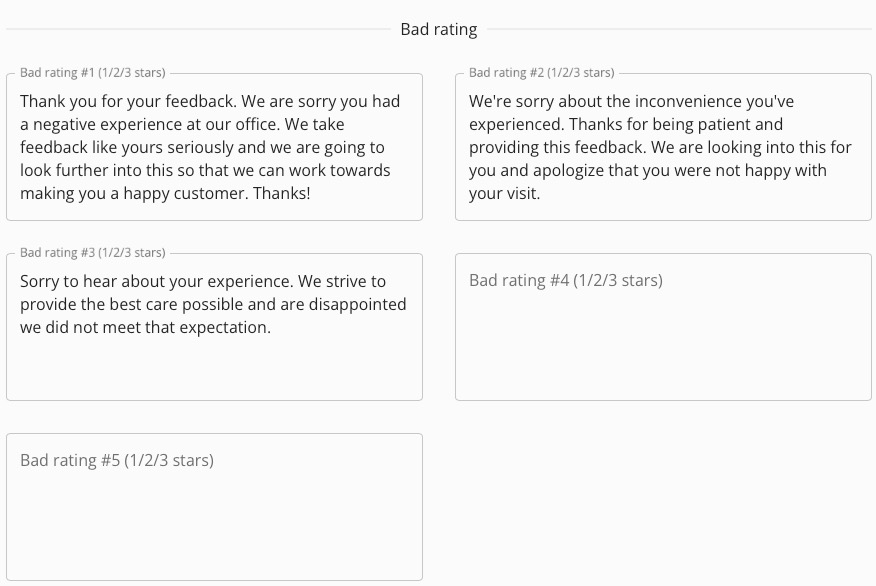
- Engage provides three default responses to bad reviews (1/2/3 stars):
- Edit Bad ratings #1, #2 and #3, if desired.
- Enter additional responses (Bad rating #4 and Bad rating #5) if desired.
- Click SAVE.
- Google will send the responses at random so that clients will not receive consecutive identical responses.
For more about Engage and how you can add it to your PracticeQ account, click here.
