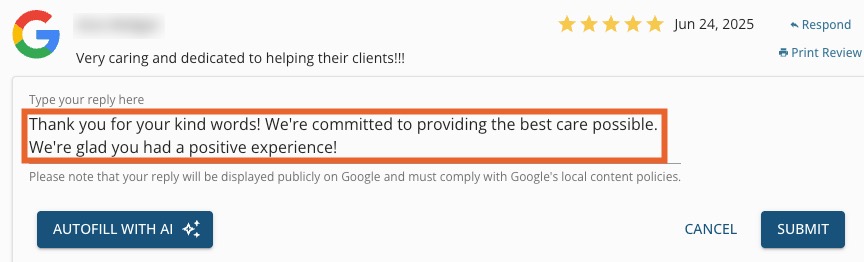
.png)
Engage Premium - AI Review Responder
Respond to client reviews quickly and efficiently with the AI Review Responder!
Note: The AI Review Responder is only available with Engage Premium. To learn more about what Premium offers, click here.
- Click Engage from your PracticeQ toolbar.
- Click Review Management → Public Reviews.
- Locate the review you wish to respond to and click the Respond link.

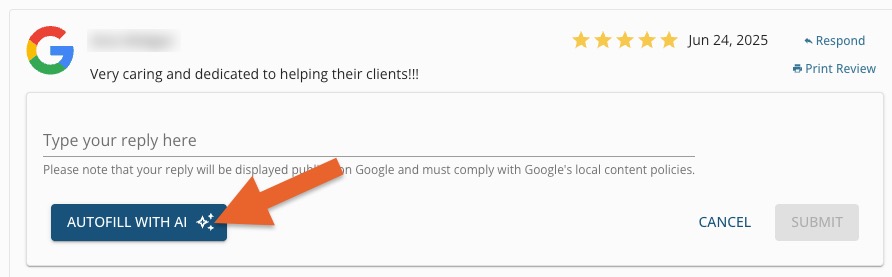
- A window will open that provides you with two options:
- Enter your own reply
- Autofill with AI
- If you want AI to help you craft a response, click the Autofill with AI button.
- Review the generated response for accuracy and make sure it reflects the tone you want your practice to convey.
- Click Submit.