.png)
Engage - Manually Send a Review Request (Single Client)
Ask a client to rate their experience with your practice in an online review.
Engage allows you to request reviews from individual clients.
- Click Engage from the PracticeQ toolbar.
- Click Review Management.
- Select Overview.

- Enter the client name and contact info in the Quick Send section.
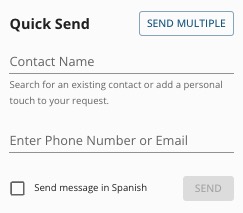
- Click SEND.
For more about Engage and how you can add it to your PracticeQ account, click here.