.png)
Engage - Public Reviews
Once you connect your Google and/or Facebook accounts to Engage, you will see reviews posted to those accounts on your dashboard!
Click here to learn how to connect your Google account and/or your Facebook account to Engage.
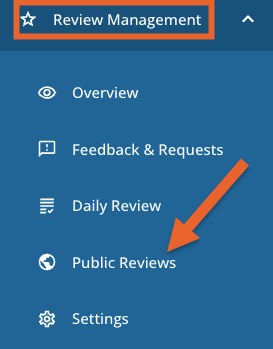
- Navigate to Review Management.
- Select Public Reviews.
- On the dashboard, use the filter options to determine which review data displays.
 4. Average Public Rating calculates the average star rating your practice has received in the past 30 days.
5. Review Sources shows which sites clients used to enter reviews.
6. Recent reviews will display on the lower right.
For more about Engage and how you can add it to your PracticeQ account, click here.