.png)
Engage - Manually Send Review Requests (Multiple Clients)
Use Engage to send review invitations to a group of select clients!
- Click Engage from your PracticeQ toolbar.
- Click Review Management → Overview.
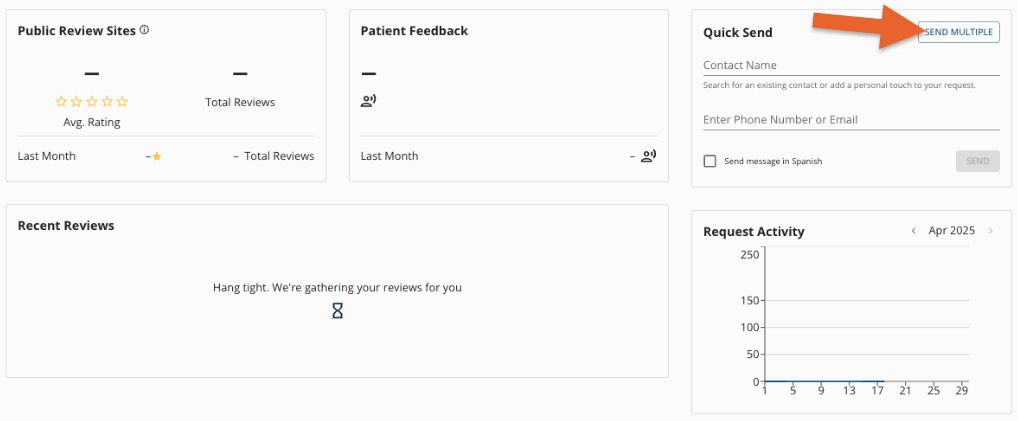
- Click SEND MULTIPLE.
- Select Manual.
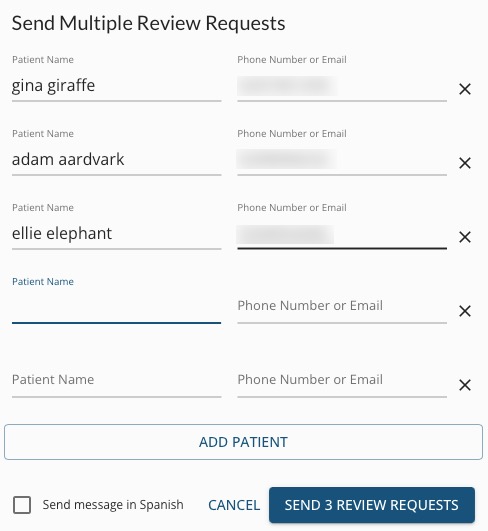
- Enter the names and numbers of up to 25 clients.
Engage will alert you if:
- A patient has been contacted for a review recently
- The phone number has opted out of receiving review requests
- The phone number you have provided will not receive texts
6. Click SEND X REVIEW REQUEST(S).
For more about Engage and how you can add it to your PracticeQ account, click here.