.png)
Engage Premium - AI Generated Campaigns
Need to create an email campaign quickly? Let Engage's AI Generation tool compose your message!
Note: AI Campaign Generation is only available with Engage Premium. To learn more about what Premium offers, click here.
- Click Engage from your PracticeQ toolbar.
- Click Campaigns → Templates.
- Choose either a Default or Custom template and click Select.
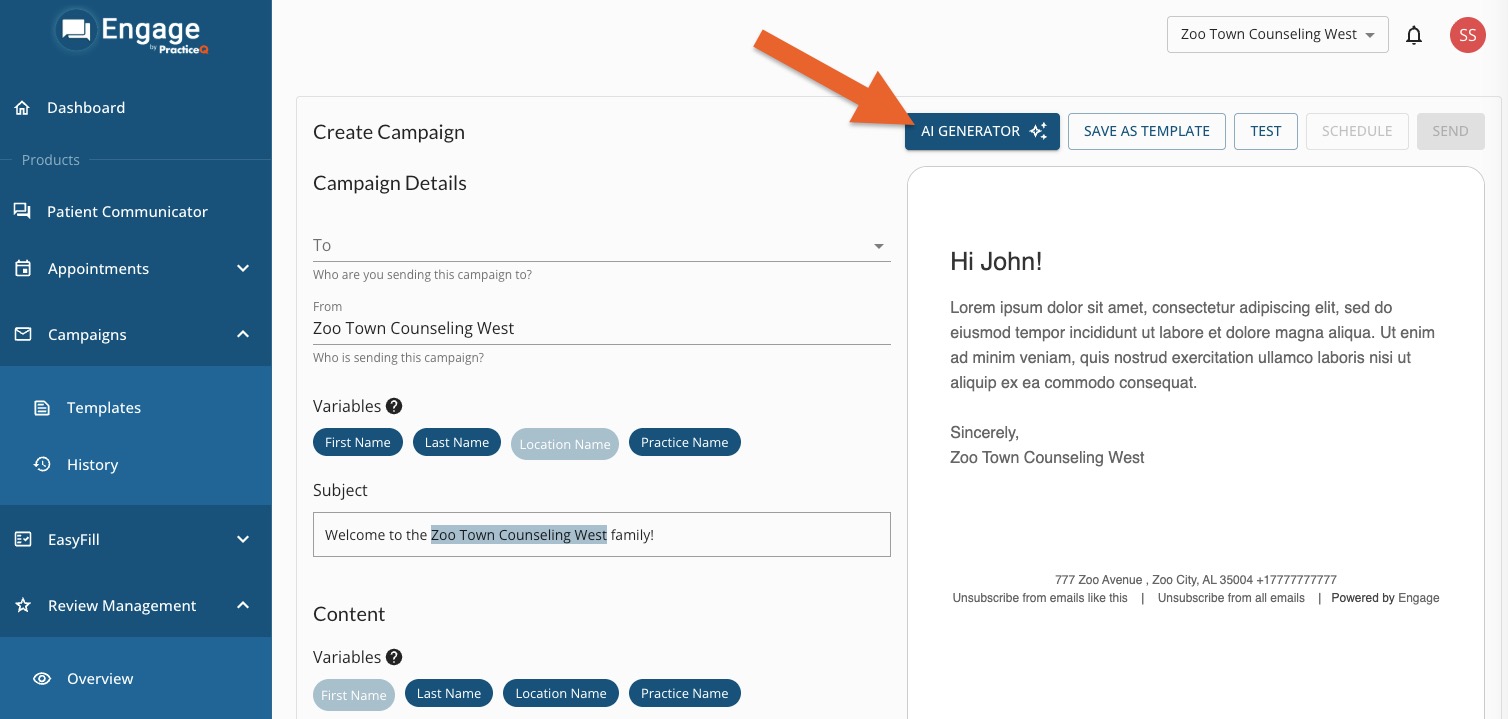
- In the next screen, click the AI Generator button.
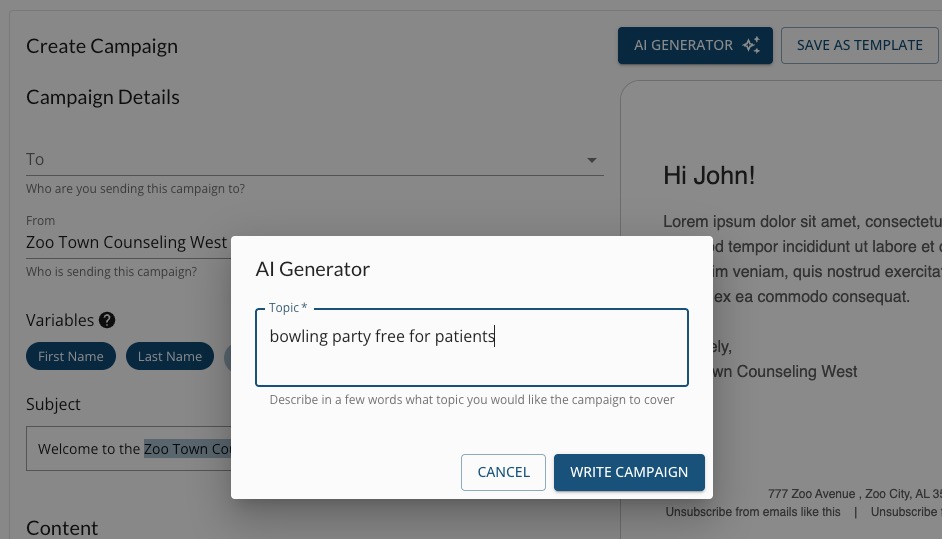
- In the AI Generator window that opens, enter a short prompt describing the campaign. You typically will not need to enter more than a few words.
- Click the Write Campaign button.
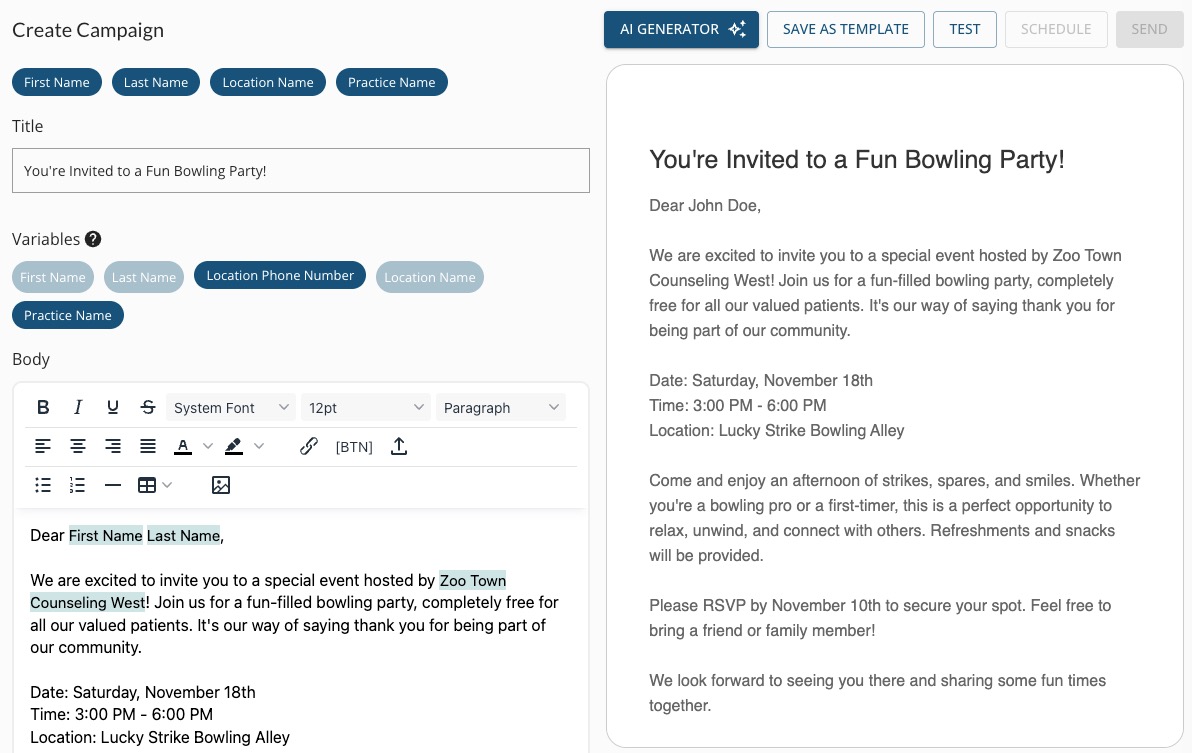
- Within seconds, Engage will create a Subject, Title and Body for your campaign.
- You then have two options:
- Edit the draft as needed and send the campaign. Please note that AI will "make up" details to fill in blanks, so edit carefully!
- Click AI Generator again; add more detail to your prompt and repeat the process. Edit and send your campaign.