.png)
Engage - Edit Your Thank You Templates
Engage sends an automatic response when clients confirm their appointments. Change the default wording to suit your practice!
- Click Engage from your PracticeQ toolbar.
- Click Templates → Appointments.
- Scroll down and click Thank You Template.
- The default message reads Thank you. We look forward to seeing you at your appointment.
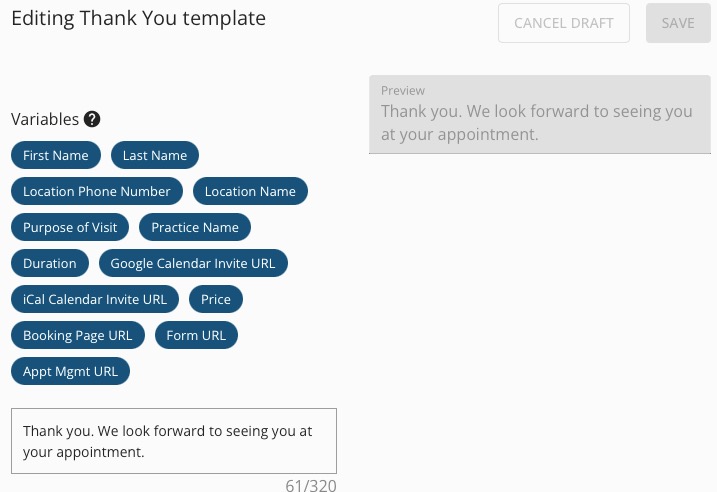
- Add additional wording specific to your practice.
- If desired, click the blue Variables to add them to the message.
- Click SAVE.
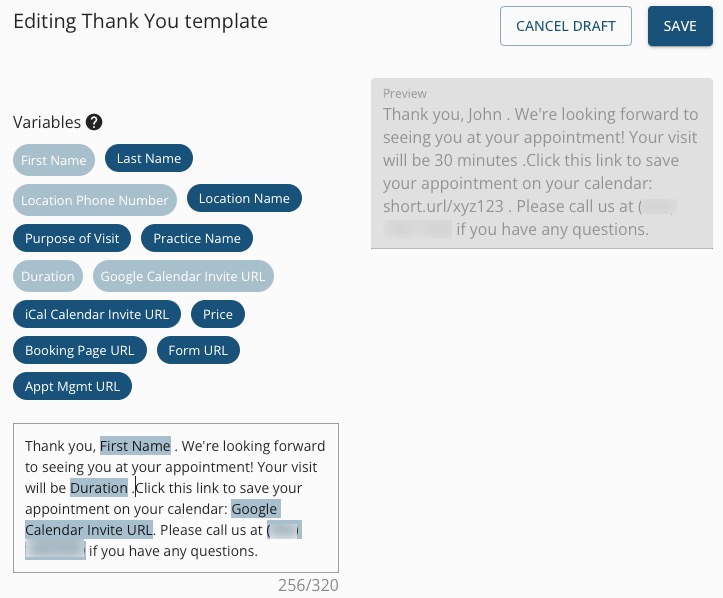
-
Engage also sends an automated message when a patient tries to confirm their appointment for a second time. This is called the Thank You Already Confirmed Template. You have the option to customize this message as well.
