.png)
Engage - FAQ
Here are answers to some frequently asked questions about the PracticeQ + Engage integration:
Click here to learn more about Engage's features or to schedule a demo.
Can I keep sending my PracticeQ emails while I set up my Engage message templates?
- Yes! Take your time setting up your Engage templates. This article will guide you through the process. Once you are ready to turn off certain PracticeQ emails and replace them with Engage messages, you will press the COMPLETE NOW button in More → Settings → Integrations → Engage.

Since all logged-in staff members can view SMS threads, is Engage HIPAA-compliant?
- HIPAA does not prohibit staff visibility into administrative SMS communications. Across all platforms, practices should avoid including PHI in SMS messages.
- Engage's SMS functionality is intended only for administrative and appointment-related communications, such as reminders, scheduling, confirmations, and operational updates.
- Any communication containing PHI should occur through the secure patient portal, not via text message. Because the SMS content is limited to non-PHI administrative information, the fact that staff users can view those messages across practitioners does not constitute a HIPAA violation.
Can I limit Engage access for specific staff members?
- Not at this time. Every staff member with PracticeQ login credentials can access Engage from the toolbar.
Does each office location in Engage have a different texting number?
- Yes. Each location has its own outgoing number. To view this number at any time, go to Engage → Location Details and refer to the Texting Phone field.
Can I set up custom reminders based on Patient Groups?
- Yes! The article Filter a Message by Patient Group will show you how!
Does each Practitioner need to set up Engage access individually?
- No - once the practice sets up the Engage integration for the account, all Practitioners will have access!
How can I tell if a reminder is for a Telehealth appointment?
- If you check the box labeled Telehealth in the reminder settings, you will see a computer icon next to the appointment reminder.

What is the difference between an appointment reminder and a confirmation reminder?
- An Appointment Reminder in Engage is a simple message stating that a client has an appointment. It does not ask the client to respond.
- Confirmation messages in Engage work differently. A Confirmation Request reminds the client of their appointment AND asks them to confirm the appointment by texting back "C" or clicking an email link.
- If a client responds to a Confirmation Request, no other confirmation messages (Confirmation Request Reminders) will send.
- If a client does not respond to a Confirmation Request, a Confirmation Request Reminder will send, again asking them to confirm their appointment.
I set up a 2-hour before and and 1-hour before reminder for my appointments, but my clients only get the 2-hour reminder. Why?
- Engage employs a 6-hour cool-down period to prevent clients from receiving too many messages in a short period of time.
- If multiple reminders are set up within the same 6 hour period, only the first reminder will send.
Will Engage send reminders to client contacts?
- If you enter client contact numbers that differ from the ones in the Client Overview, Engage will not send reminders to those numbers.
- However, you have the option to add contacts in Engage! Learn more here.
What are Family Texts and Family Emails?
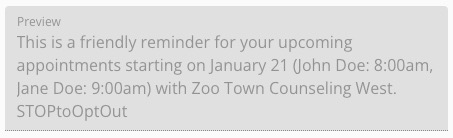
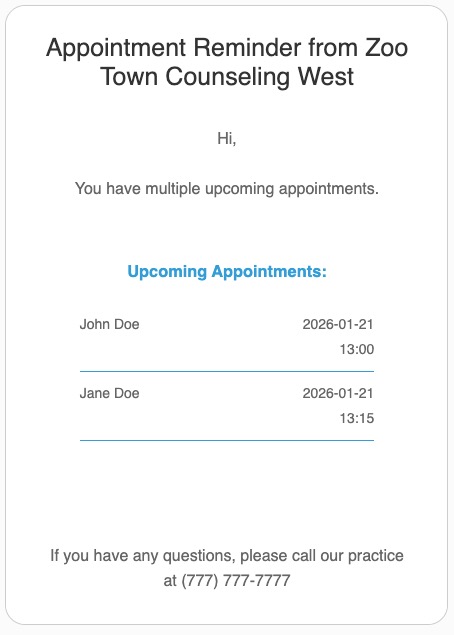
- Family Texts and Family Emails are useful when more than one member of the same family (under the same texting number and/or email) has an appointment on the same day.
- Once the Family Text or Family Email is enabled, the reminders for all family members will be combined in a single reminder.
What is a broadcast?
- A broadcast is a mass text you can send to a group of clients. You can create the client group by selecting from the schedule, choosing the clients individually, or uploading a contact list. To set up a broadcast, read the article Send a Broadcast Message.
What is a campaign?
- A campaign is a mass email that you send to a group of clients. Create the client group by selecting from the schedule, choosing the clients individually, or uploading a contact list. To set up a campaign, read the article Create a Campaign.
What is a recall?
- Engage's recall function is similar to PracticeQ's Time to Book Again email. In Engage, you can send both emails and texts to clients who are due to schedule their next appointment.
- For more information on setting up recall messages, read the article Set Up Recall Requests.
Why are my texts being flagged as inappropriate?
- Some message categories are forbidden for texting in the US and Canada. Learn more here.
-
For more about Engage and how you can add it to your PracticeQ account, click here.