.png)
Engage - Manage Email Notifications for Practice Staff
Each member of your practice can manage their own email notifications for Engage activity.
- Click Engage from your PracticeQ toolbar.
- Under the Settings heading, click Manage Users.
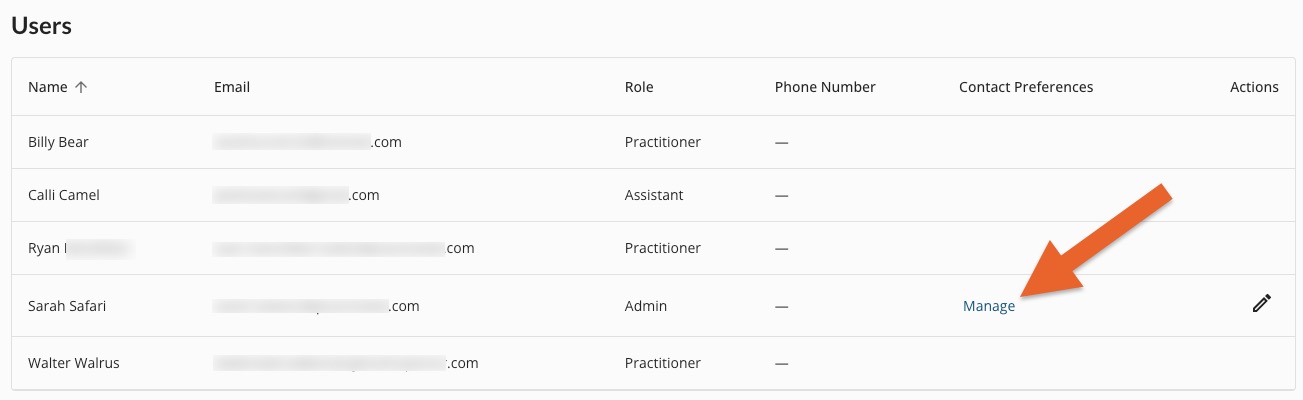
- Find the User for whom you wish to edit email notifications and click Manage.
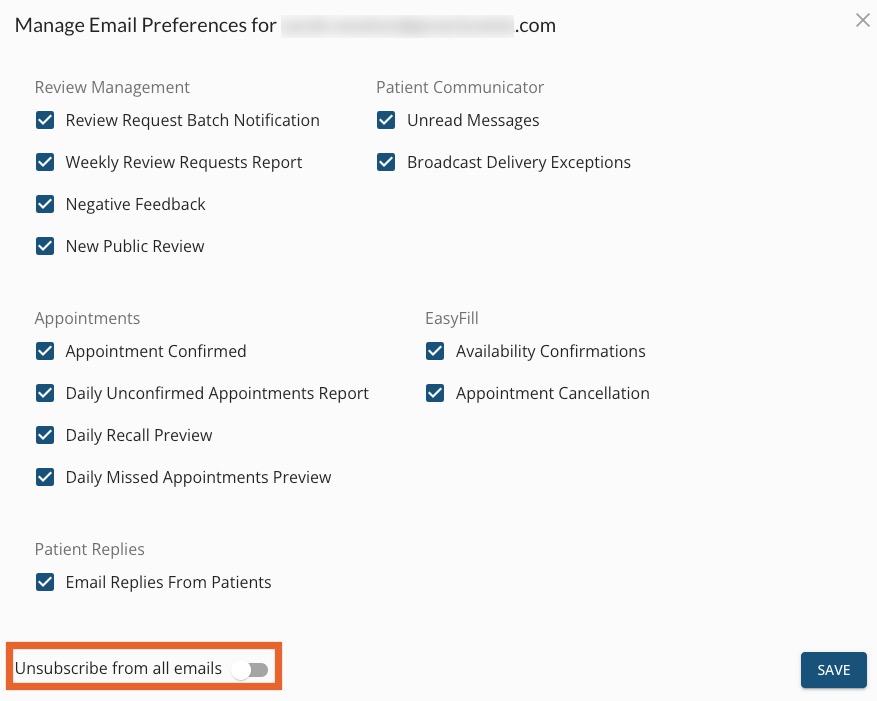
- Check or uncheck the boxes to manage the notifications you receive. If you do not wish to receive any notifications, click the toggle labeled Unsubscribe from all emails.
- Click SAVE.
Note: Each user must set their own email preferences.
For more about Engage and how you can add it to your PracticeQ account, click here.