.png)
Engage - Add a Contact
Engage allows you to add new contacts for 2-way texting!
1. Click Engage from your PracticeQ toolbar.
2. Click Patient Communicator.
3. Click either the New Message icon or the Start Conversation option.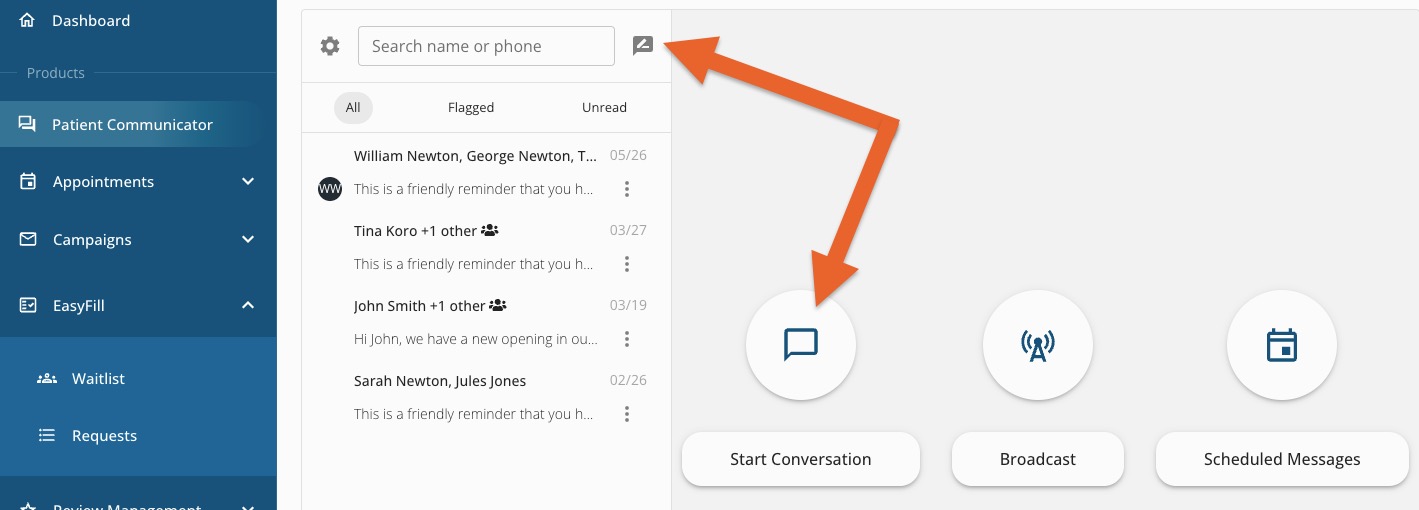
4. Enter a phone number into the New Patient field.
5. Engage will verify if the number entered is a valid cell phone number. If it is valid, Engage opens a Name field.
6. Enter the name and click Add Contact.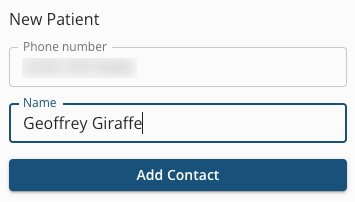
Note: If you attempt to add a number that cannot receive texts, a message reading Not a textable phone number! will appear.

For more about Engage and how you can add it to your PracticeQ account, click here.